


A Comprehensive Case Study on Real-Time Collaboration, AI-Powered Knowledge Management, and Unified Documentation
Introduction: The Documentation Dilemma
In today’s fast-paced digital landscape, effective documentation has become the backbone of successful project execution. Yet, for decades, teams have grappled with a persistent challenge: how to keep documentation accurate, accessible, and synchronized across multiple stakeholders while maintaining the integrity of complex system designs.
Traditional documentation tools often force teams to make impossible trade-offs. You can have real-time text collaboration, but your diagrams become static snapshots that quickly fall out of sync with evolving system architectures. You can maintain visual models, but sharing them with non-technical stakeholders requires cumbersome export processes. You can organize content hierarchically, but concurrent editing leads to version conflicts and lost work.
Visual Paradigm OpenDocs emerges as a transformative solution to these challenges. This comprehensive case study explores how the platform’s latest updates—including real-time synchronization, advanced editing protections, and AI-powered capabilities—are redefining what’s possible in collaborative documentation.
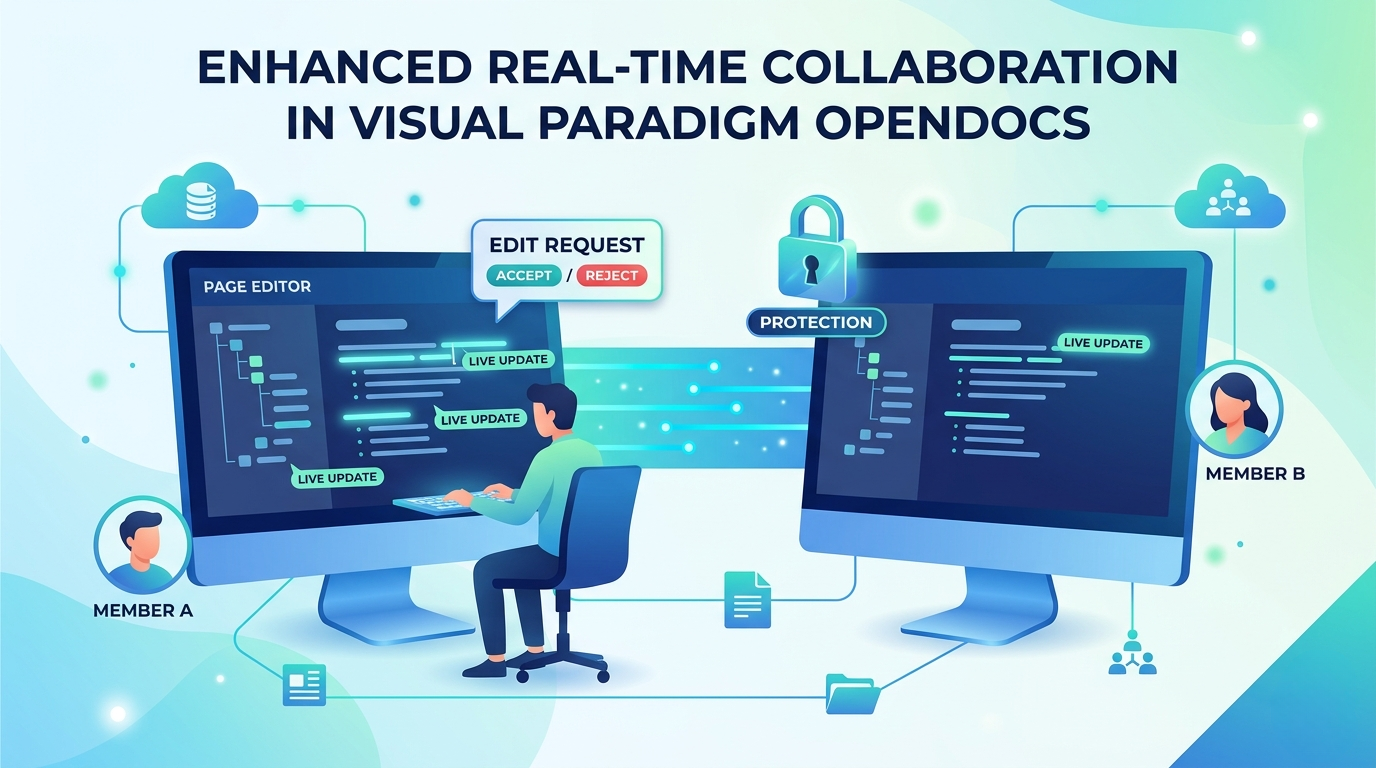
We will examine the platform’s core capabilities, analyze the specific pain points addressed by the recent collaboration enhancements, and explore how organizations across various sectors can leverage OpenDocs to create living, breathing documentation that evolves alongside their projects.
Understanding Visual Paradigm OpenDocs: The Visual Knowledge Engine
Before diving into the latest updates, it’s essential to understand what makes Visual Paradigm OpenDocs fundamentally different from traditional documentation platforms like Confluence, Notion, or Google Docs.
A New Category of Documentation Tool
Visual Paradigm OpenDocs is an AI-powered, web-based knowledge management platform and documentation hub that serves as a “visual knowledge engine.” Unlike conventional documentation tools that treat images and diagrams as static attachments, OpenDocs treats visual models as living, versioned cloud assets that can be updated automatically when system designs change.
This fundamental architectural difference—treating diagrams as dynamic content rather than static snapshots—positions OpenDocs uniquely at the intersection of technical writing, software modeling, and collaborative knowledge management.
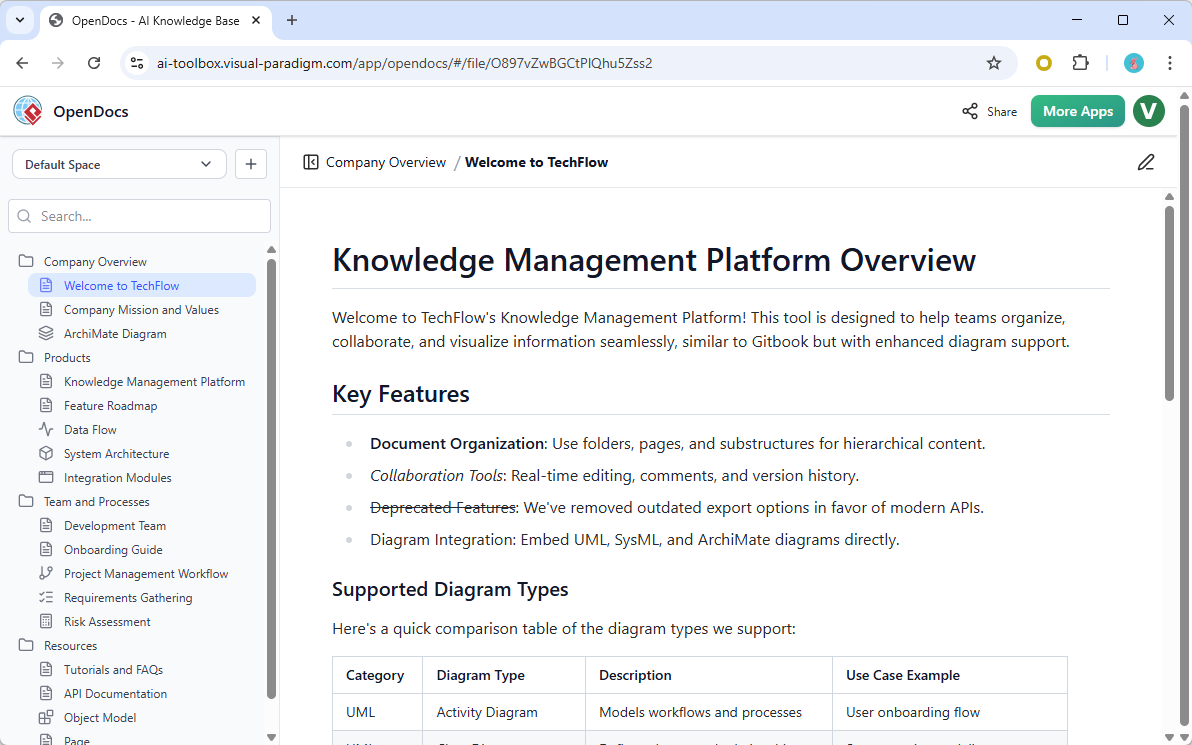
Core Capabilities
The platform offers a comprehensive suite of features designed to support modern documentation workflows:
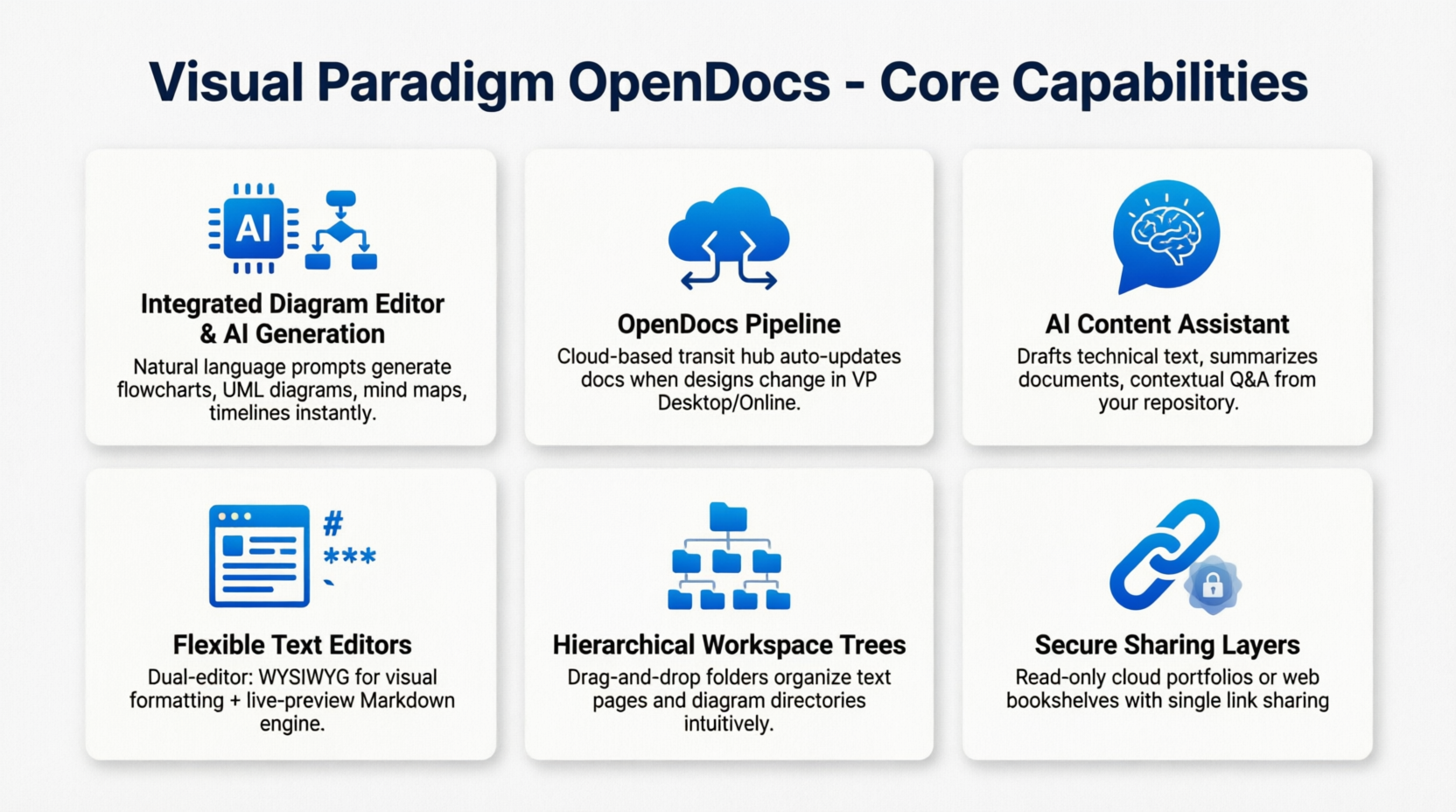
1. Integrated Diagram Editor & AI Generation
OpenDocs natively supports the creation of complex layouts and diagrams through an integrated editor. More impressively, users can use natural language prompts to instantly generate flowcharts, UML diagrams, mind maps, and timelines. This AI-powered capability dramatically reduces the time required to create professional visual documentation.
2. The OpenDocs Pipeline: Seamless Integration
Perhaps the most distinctive feature is the OpenDocs Pipeline, a cloud-based transit hub that allows teams to directly import and automatically update active visual designs built in Visual Paradigm Desktop or VP Online. This ensures that documentation never drifts away from the underlying system architecture—when a diagram changes in the design tool, the documentation updates automatically.
3. AI Content Assistant
Beyond diagram generation, OpenDocs includes a sophisticated AI assistant capable of drafting technical text, summarizing complex documents, and providing contextual Q&A based entirely on the contents of your own repository. This creates a closed-loop knowledge system where AI augments human expertise without introducing external, potentially irrelevant information.
4. Flexible Text Editors
The platform supports an intuitive WYSIWYG rich editing for standard text formatting.
5. Hierarchical Workspace Trees
Content organization is handled through a scalable drag-and-drop folder interface that allows teams to structure text pages and diagram directories together. This hierarchical approach mirrors the natural structure of complex projects, making navigation intuitive even for large documentation repositories.
6. Secure Sharing Layers
OpenDocs offers robust sharing capabilities, enabling teams to distribute read-only cloud documentation portfolios or host them via web-based bookshelves with a single link. This makes it easy to share documentation with external stakeholders, clients, or distributed team members.
Supported Diagram Ecosystem
The platform natively embeds and edits a wide range of technical architectures, including:
| Diagram Type | Purpose |
|---|---|
| UML Models | Class, Sequence, Component, Profile, and Use Case structures |
| System Analytics | Data Flow Diagrams (DFD), state machines, and business processes (BPMN) |
| Structural Layouts | Corporate organization charts, breakdown maps, and project management milestone timelines |
This comprehensive diagram support makes OpenDocs suitable for everything from software architecture documentation to business process mapping and organizational planning.
The Collaboration Challenge: Why Traditional Tools Fall Short
To appreciate the significance of OpenDocs’ latest updates, it’s helpful to understand the specific collaboration challenges that plague traditional documentation tools:
The Static Snapshot Problem
In platforms like Confluence or Google Docs, diagrams are typically embedded as images. When a system design changes—as it inevitably does during development—the documentation becomes outdated. Teams are forced to manually update screenshots, a process that is both time-consuming and error-prone.
Concurrent Editing Conflicts
When multiple team members work on the same document simultaneously, traditional conflict resolution mechanisms often result in lost work, confusing merge conflicts, or accidental overwrites. While some platforms offer real-time collaboration, they frequently lack the nuanced protection needed for complex technical documentation where context matters immensely.
Organizational Drift
As documentation grows, maintaining a consistent structure becomes challenging. Different team members may create parallel structures, duplicate content, or place information in illogical locations. Without real-time visibility into structural changes, teams lose the “single source of truth” that effective documentation requires.
Disconnected Workflows
Technical documentation often involves multiple tools: a word processor for text, a diagramming tool for visuals, a project management system for tracking, and a sharing platform for distribution. This tool fragmentation creates friction, reduces productivity, and increases the likelihood of errors.
Limited AI Integration
While many tools now offer AI features, few have integrated AI deeply into the documentation workflow. Most provide generic content generation that lacks context about the specific project, team, or technical architecture being documented.
The Solution: Enhanced Team Sync in OpenDocs
Visual Paradigm’s latest update directly addresses these challenges through four key enhancements designed to make teamwork more fluid, transparent, and secure.
1. Instant Page-Level Synchronization
The Challenge: In traditional documentation platforms, team members working on the same page often experience delays in seeing each other’s changes. This leads to redundant work, confusion about what’s been updated, and version control issues.
The Solution: OpenDocs now offers true real-time collaborative editing where changes appear dynamically as they are made. When multiple team members work on the same documentation page, updates flow directly onto every viewer’s screen without requiring manual refreshes.
The Impact: This eliminates the cognitive overhead of wondering whether you’re looking at the latest version. Teams can work together interactively, brainstorming and refining content in real-time. For technical documentation where precision matters, this immediate visibility reduces errors and ensures consensus.
2. Dynamic Structure and Tree Updates
The Challenge: Documentation organization is rarely static. New sections need to be added, existing content needs to be moved, and outdated information must be archived. When team members make structural changes—creating new nodes, moving folders, or deleting sections—others working in the same space need immediate awareness to avoid confusion.
The Solution: OpenDocs introduces structure-level synchronization that reflects any changes to the document tree instantaneously for everyone logged into the space.
The Impact: Every team member always navigates the most current project roadmap. This eliminates the common problem where different team members work from different mental models of the documentation structure. For large projects with multiple contributors, this ensures organizational consistency and reduces duplication.
3. Advanced Editing Protection and Conflict Resolution
The Challenge: Concurrent editing is a double-edged sword. While real-time collaboration enables faster work, it also creates risks of accidental overwrites and conflicting changes. In technical documentation, where careful reasoning and precise language are critical, losing work can be devastating.
The Solution: OpenDocs implements a robust editing rights protection system that manages concurrent editing through an intuitive request-and-grant workflow:
- Takeover Requests: When a page is already being edited, subsequent team members are prompted to request access. This prevents accidental simultaneous editing and its associated risks.
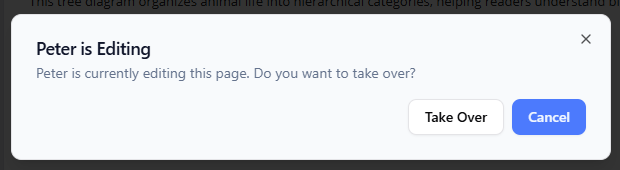
- Interactive Permission: The current editor receives a notification to accept or reject the takeover request, maintaining control over the editing process.

- Grace Periods: Editors can choose to “Ask again in 30 seconds,” providing flexibility to finalize and save their current thoughts before handing over the reins. This thoughtful feature acknowledges that sometimes you need just a moment more to complete a thought.
The Impact: This system prevents accidental overwrites while maintaining the benefits of real-time collaboration. It acknowledges that technical documentation requires careful, focused work, and provides the controls needed to protect that work without creating unnecessary friction.
4. Unified Workspace Integrity
The Challenge: In complex documentation environments, changes in one area can inadvertently affect work in other areas. This is particularly problematic when teams are working on multiple, interconnected documentation sections simultaneously.
The Solution: OpenDocs’ latest architecture intelligently tracks changes across different pages and structural levels independently. Your work on one section remains secure and unaffected by updates happening elsewhere in the workspace.
The Impact: This provides a stable and reliable collaborative documentation platform where team members can work with confidence. It enables parallel work streams without the fear of cascading conflicts, supporting the natural workflow of larger teams where different members focus on different aspects of a project.
Real-World Use Cases
To understand the practical value of these enhancements, consider how different teams might leverage OpenDocs’ capabilities:
Software Development Teams
Development teams can use OpenDocs as their single source of truth for technical documentation. Architects can model system designs using UML, while product managers maintain requirement documents, and developers contribute implementation notes—all within the same workspace. The real-time synchronization ensures that when architectural decisions change, the documentation reflects those changes immediately, keeping the entire team aligned.
System Architecture Teams
For teams responsible for complex system designs, OpenDocs provides an invaluable capability: the ability to maintain documentation that automatically stays in sync with evolving architectures. Through the OpenDocs Pipeline, diagrams created in Visual Paradigm’s desktop tools update automatically in the documentation. This eliminates the “drift” that plagues traditional documentation and ensures that architectural blueprints always match implementation reality.
Project Management Offices
PMOs can use OpenDocs to create living project portfolios that combine visual timelines, organizational charts, and detailed specifications. The hierarchical workspace structure naturally accommodates the nested nature of program-level documentation, while the AI assistant can help generate meeting summaries, project updates, and stakeholder communications.
Business Analysis Teams
Business analysts benefit from the ability to create comprehensive requirement documents that seamlessly integrate process maps, use case diagrams, and detailed specifications. The AI assistant can help analyze requirements, identify gaps, and suggest improvements.
Research and Development
For R&D teams exploring new concepts, OpenDocs’ AI-powered diagram generation is particularly valuable. Teams can describe a concept in natural language and immediately see it represented as a flow chart, mind map, or UML diagram. This accelerates ideation and makes abstract concepts tangible and shareable.
The AI Advantage: Beyond Traditional Documentation
The integration of AI across the OpenDocs platform represents a significant evolution in documentation technology. Unlike tools that bolt on generic AI capabilities, OpenDocs embeds intelligence deeply into the documentation workflow:
AI-Generated Diagrams
The ability to generate complex diagrams from natural language prompts transforms how teams approach visual documentation. Instead of spending hours creating and refining diagrams, team members can describe what they need and let the AI generate the initial version. This is particularly valuable for brainstorming sessions, initial project planning, and situations where rapid iteration is needed.
Smart Content Assistance
The AI content assistant can draft technical text based on user prompts, providing a starting point that can be refined and customized. More importantly, it can summarize existing documentation, making it easy to create executive summaries, status reports, or onboarding materials from existing content.
Contextual Intelligence
One of the most powerful aspects of OpenDocs’ AI integration is that it operates within the context of your own repository. Unlike generic AI tools that may draw from external sources, OpenDocs’ AI understands your specific project, your unique terminology, and your team’s documentation patterns. This ensures relevance and accuracy in all AI-generated content.
Documentation Analytics
The AI can also analyze your documentation to identify gaps, inconsistencies, or areas that need improvement. This is particularly valuable for maintaining quality across large documentation repositories where manual review is impractical.
Who Benefits from OpenDocs?
OpenDocs is designed for a broad range of professionals who need to create and maintain complex documentation:
Software Engineers and Developers
- Document code architecture and design decisions
- Create technical specifications and implementation guides
- Maintain API documentation and system models
- Generate diagrams from code or design tools
System Architects
- Create and maintain architectural models
- Document system dependencies and interactions
- Generate component and deployment diagrams
- Maintain alignment between design and documentation
Project Managers
- Create project charters and plans
- Document organizational structures and roles
- Maintain project timelines and milestones
- Generate status reports and stakeholder updates
Business Analysts
- Document business requirements and processes
- Create use case and activity diagrams
- Maintain requirement traceability
- Generate stakeholder communication materials
Technical Writers
- Create comprehensive documentation suites
- Maintain consistency across documents
- Collaborate with development teams
- Generate documentation from project artifacts
Quality Assurance Teams
- Document test plans and cases
- Maintain quality standards and processes
- Create audit-ready documentation
- Track and document testing results
Technical Architecture and Integration
OpenDocs is built on a cloud-native architecture designed for enterprise-scale documentation needs:
Cloud-Based Platform
As a web-based solution, OpenDocs requires no local installation and is accessible from anywhere with an internet connection. This supports distributed teams and remote work while ensuring consistent access across devices.
Visual Paradigm Integration
The OpenDocs Pipeline creates a seamless connection between Visual Paradigm’s desktop and online tools and the OpenDocs platform. This integration enables:
- Direct import of diagrams from Visual Paradigm tools
- Automatic updates when source diagrams change
- Bidirectional synchronization capabilities
- Version tracking and history management
AI Infrastructure
The AI capabilities are powered by advanced language models designed specifically for technical content. Unlike general-purpose AI, OpenDocs’ AI is optimized for:
- Technical diagram generation
- Professional documentation writing
- Contextual understanding of project-specific terminology
- Secure processing within your workspace
Security and Access Control
OpenDocs provides robust security features including:
- Role-based access control
- Granular permission settings
- Secure sharing with external stakeholders
- Enterprise-grade data protection
Recent Updates and Continuous Improvement
The Enhanced Team Sync update is the latest in a series of significant improvements to OpenDocs:
AI Timeline Diagram Integration
Recent updates have added AI-powered timeline diagram generation, enabling teams to quickly create project schedules, roadmaps, and milestone charts from natural language descriptions.
Professional Mind Map Integration
The platform now includes comprehensive mind mapping capabilities, supporting brainstorming, idea organization, and concept visualization.
WYSIWYG Editor Update
The WYSIWYG editor has been enhanced to provide more intuitive formatting options and improved performance.
AI-Powered Data Flow Diagram Support
Teams can now generate data flow diagrams using AI prompts, simplifying the documentation of system data movement.
Expanded UML Support
Recent updates have added support for component diagrams, profile diagrams, and state diagrams, expanding the platform’s utility for software architecture documentation.
Comparing OpenDocs to Traditional Documentation Tools
| Feature | OpenDocs | Traditional Tools |
|---|---|---|
| Diagram Integration | Live, versioned cloud assets | Static snapshots that drift |
| Real-Time Collaboration | Page-level and structure-level sync | Limited or complex conflict resolution |
| AI Capabilities | Context-aware, repository-specific | Generic, often irrelevant |
| Diagram Generation | Natural language prompts | Manual creation or import |
| Version Control | Automatic, granular | Often manual or limited |
| Structure Management | Hierarchical, real-time updates | Static or slow to propagate |
| Integration | Visual Paradigm ecosystem | Limited or custom integrations |
| Editing Protection | Request-grant workflow, grace periods | Basic or absent |
Conclusion: The Future of Documentation
The enhancements to Visual Paradigm OpenDocs represent more than a feature update—they reflect a fundamental rethinking of what documentation can be. By treating diagrams as living assets, enabling real-time collaboration with sophisticated editing protections, and embedding context-aware AI throughout the workflow, OpenDocs creates documentation that is truly living, evolving knowledge.
Key Takeaways
- Documentation as Living Knowledge: OpenDocs transforms documentation from static artifacts into dynamic resources that evolve alongside your projects.
- Seamless Collaboration: The enhanced synchronization and editing protections enable teams to work together without friction, reducing the cognitive overhead of managing documentation.
- AI Augmented Intelligence: The platform’s AI capabilities don’t replace human expertise but amplify it, enabling teams to focus on high-value work.
- Unified Workflow: By integrating text, diagrams, and AI in a single platform, OpenDocs eliminates the fragmentation that has long plagued technical documentation.
- Scalable Organization: The hierarchical structure and real-time updates ensure that even complex documentation repositories remain navigable and consistent.
Looking Ahead
As AI capabilities continue to evolve and teams become increasingly distributed, the importance of sophisticated documentation platforms will only grow. OpenDocs is well-positioned to meet these emerging needs with its unique combination of visual modeling, real-time collaboration, and intelligent assistance.
Experience OpenDocs Today
These updates are more than just technical fixes; they represent a commitment to providing a professional-grade environment for knowledge management and team collaboration. By eliminating the risk of lost work and providing instant visibility into team activity, Visual Paradigm OpenDocs empowers you to focus on what matters most: building great things together.
Ready to see the new OpenDocs in action? Explore the full capabilities on the OpenDocs Features Page.
Experience the future of documentation.
Launch Visual Paradigm OpenDocs Now
Reference
- Visual Paradigm OpenDocs Features Page: Official product page detailing OpenDocs’ comprehensive documentation and knowledge management capabilities, including AI features, diagram integration, and collaboration tools.
- From Static Snapshots to Living Knowledge: Unifying Documentation and Modeling with Visual Paradigm OpenDocs: Blog post explaining how OpenDocs transforms traditional static documentation into dynamic, living knowledge by unifying text and visual modeling.
- Visual Paradigm OpenDocs: The Complete Guide to AI-Powered Knowledge Management and Diagram Generation: Comprehensive guide covering OpenDocs’ AI-powered features, including diagram generation, content creation, and knowledge management capabilities.
- Visual Paradigm’s Pipeline: Hands-On Review of Desktop to OpenDocs Integration: In-depth review of the OpenDocs Pipeline feature, explaining how diagrams created in Visual Paradigm desktop tools can be automatically synchronized to OpenDocs.
- OpenDocs AI Timeline Diagram Integration Update: Announcement of AI-powered timeline diagram generation in OpenDocs, enabling automatic creation of project schedules and milestone charts from natural language descriptions.
- OpenDocs Professional Mind Map Integration: Update release detailing the integration of professional mind mapping capabilities into OpenDocs for brainstorming and concept visualization.
- Case Study on Streamlining Knowledge Management with Visual Paradigm OpenDocs Pipeline: Case study examining how organizations use the OpenDocs Pipeline to streamline knowledge management and maintain documentation accuracy.
- Visual Paradigm OpenDocs Pipeline YouTube Video: Video tutorial demonstrating the OpenDocs Pipeline feature and how it connects Visual Paradigm designs to documentation.
- From Concept to Knowledge Base: Third-Party Review of OpenDocs Workflow: Independent review examining OpenDocs’ workflow capabilities and effectiveness in creating comprehensive knowledge bases.
- OpenDocs AI-Powered Knowledge Platform Update: Release announcement of OpenDocs’ AI-powered knowledge management capabilities, including content generation and contextual assistance.
- OpenDocs WYSIWYG Editor Update for AI Knowledge Management: Update detailing improvements to the WYSIWYG editor and integration with AI knowledge management features.
- Visual Paradigm OpenDocs: The Definitive Guide: Comprehensive guide covering all aspects of OpenDocs, including supported diagram types and usage scenarios.
- AI-Powered Data Flow Diagram (DFD) Support in OpenDocs: Release announcement of AI-powered Data Flow Diagram generation in OpenDocs for documenting system data movement.
- Use Case Tool Solution Overview: Overview of Visual Paradigm’s use case modeling capabilities, which integrate with OpenDocs documentation.
- AI Profile Diagram Generation in OpenDocs UML Support: Announcement of AI-powered UML profile diagram generation for advanced software modeling in OpenDocs.
- AI Component Diagram Generator in OpenDocs Update: Release detailing AI-powered component diagram generation for documenting software architecture in OpenDocs.
- OpenDocs Update: AI State Diagram Generator: Announcement of AI-powered state diagram generation in OpenDocs for modeling system states and transitions.
- AI Breakdown Structure Chart Maker in OpenDocs: Release of AI-powered breakdown structure chart generation for project management and work decomposition in OpenDocs.
- Organization Chart Maker in OpenDocs Update: Update detailing organization chart creation capabilities in OpenDocs for documenting team structures and hierarchies.
- Visual Paradigm OpenDocs: The Complete Developer’s Guide to AI-Powered Technical Documentation: Comprehensive developer-focused guide covering AI-powered technical documentation strategies using OpenDocs.
Related posts:
 How Visual Paradigm OpenDocs’ Page-Based Sharing & WordPress Export Transformed Our Team’s Documentation Workflow
 Beyond Notes: My Hands-On Review of Visual Paradigm OpenDocs as a Unified Knowledge Hub
 Bridging Knowledge Silos: Seamlessly Publish OpenDocs Content to WordPress
 Create Stunning Interactive Documentation: A Complete Guide to Flipbooks, Bookshelves, and WordPress Integration with Visual Paradigm OpenDocs