


Introduction
In today’s fast-paced digital landscape, the ability to communicate complex ideas visually is no longer a luxury—it’s a necessity. Yet, for many professionals, the gap between a brilliant concept and a polished, standards-compliant diagram remains a significant bottleneck. Manual diagramming tools demand time, technical expertise, and meticulous attention to notation rules, often slowing down innovation and collaboration.
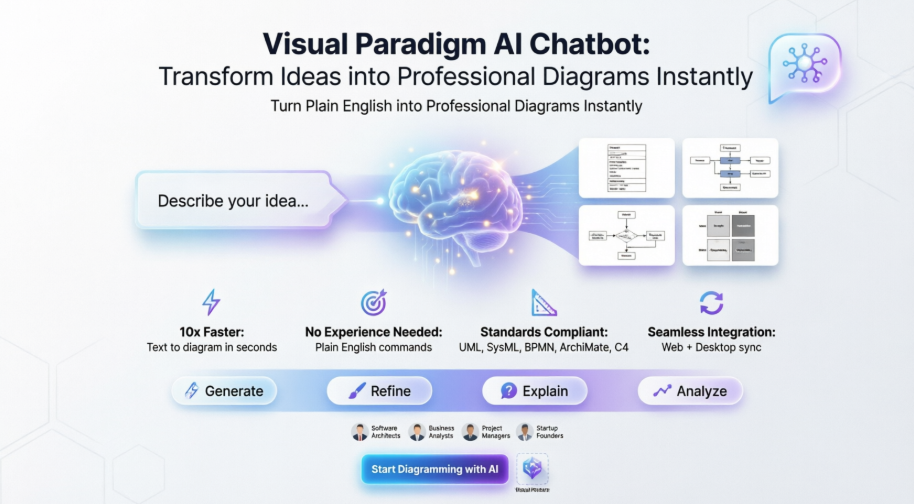
Enter the Visual Paradigm AI Chatbot: a conversational, AI-powered co-pilot designed to bridge this gap instantly. By transforming plain English into professional diagrams across UML, SysML, BPMN, ArchiMate, C4, and strategic frameworks, this intelligent assistant empowers teams to visualize ideas faster, collaborate more effectively, and maintain rigorous modeling standards—without prior expertise. This case study explores how the Visual Paradigm AI Chatbot is redefining visual modeling workflows, enabling professionals from software architects to startup founders to turn thoughts into structured, actionable visuals in seconds.
Why Teams Love Visual Paradigm AI Chatbot
-
Create diagrams up to 10x faster
Turn text into polished diagrams in seconds, not hours. -
No prior modeling experience needed
Just type in plain English and let AI do the rest. -
Automatically follows UML, SysML, BPMN & ArchiMate standards
Always correct notation and layout. -
Higher quality and consistent diagrams
Clean, professional results every single time.
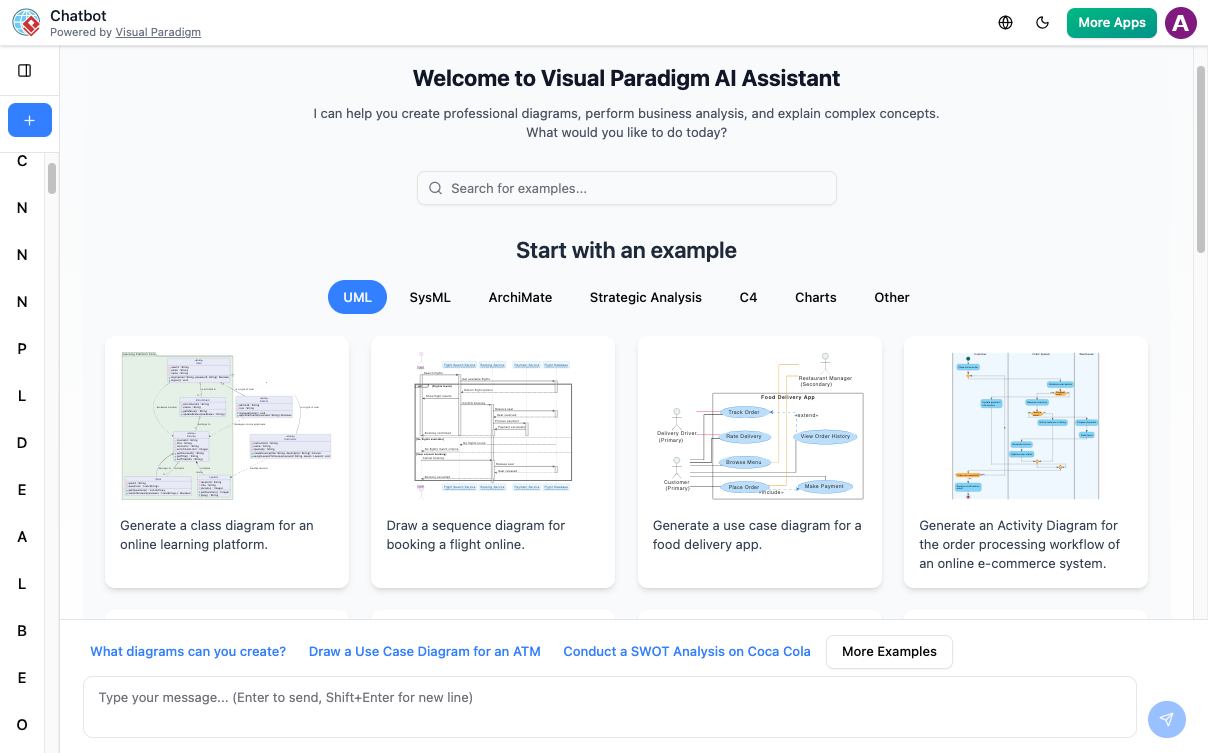
Start Smarter with AI-Powered Templates
Jumpstart your project with a comprehensive library of industry-standard examples. From complex UML structures to strategic business frameworks, our AI Assistant transforms high-level prompts into precise, editable diagrams in seconds.
Availability & Integration
The AI Assistant is a cloud-powered co-pilot built directly into both the VP Online web suite and Visual Paradigm Desktop.
-
Web
Quick access for brainstorming and real-time team collaboration. -
Desktop
Deep integration into your modeling environment (Tools > AI Chatbot) for one-click diagram imports and code generation. -
Sync
A single account keeps your web-based AI creations and professional desktop projects perfectly in line.
Key Features
Instant Diagram Generation
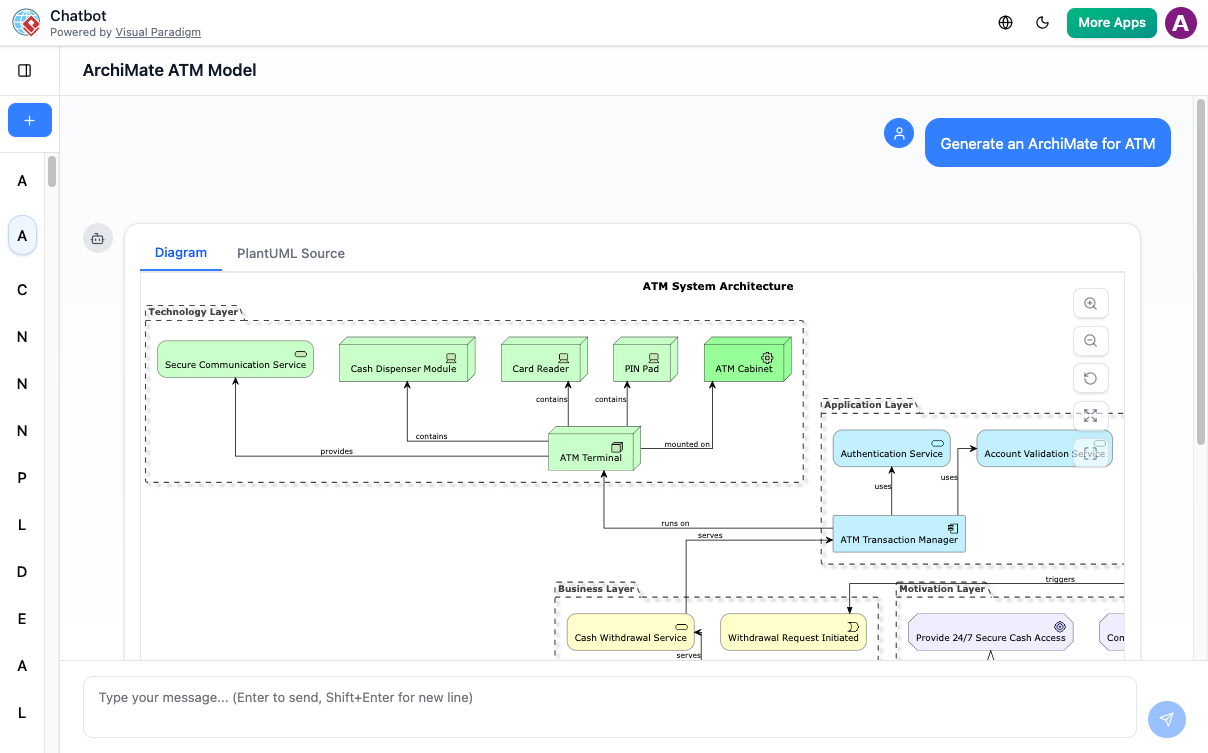
Describe your idea in natural language and get professional UML, BPMN, C4, or ArchiMate diagrams in seconds.
Seamless Integration
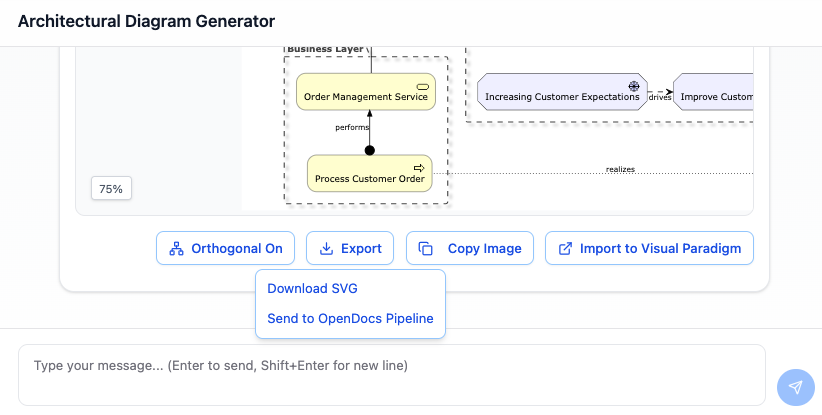
Export diagrams directly to Visual Paradigm Online or Desktop for further editing and collaboration.
What Is Visual Paradigm AI Chatbot?
Visual Paradigm’s AI Chatbot is a conversational modeling assistant designed to automate the creation and refinement of professional diagrams. It acts as a “co-pilot,” allowing users to bypass manual drag-and-drop tasks by using natural language commands to generate and edit complex visual models.
Core Capabilities
The chatbot provides an intelligent layer over traditional modeling tools:
Generate Diagram
This is the core power of the AI Chatbot. Instead of struggling with palettes, connectors, and complex notation rules, you simply state what you need. The AI understands industry standards—from UML and ArchiMate to strategic matrices—and instantly renders a professional, fully editable diagram, making the initial modeling step a matter of seconds, not hours.
Fitness Tracking Application
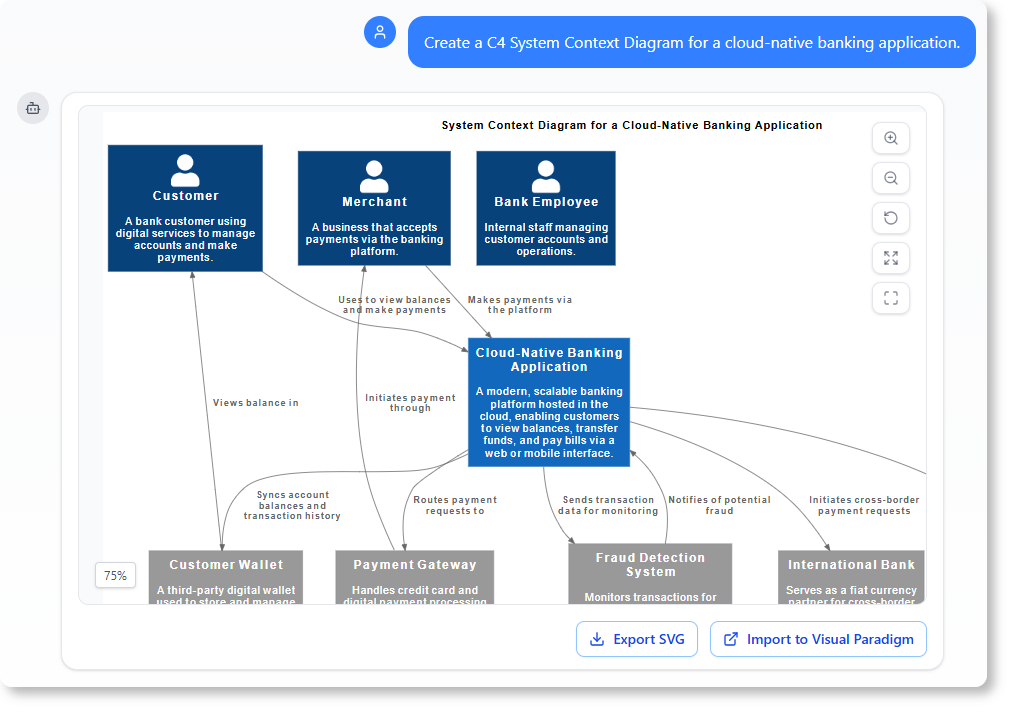
Prompt: Create a C4 System Context Diagram for a cloud-native banking application.
Chat History
Fitness Tracking Application
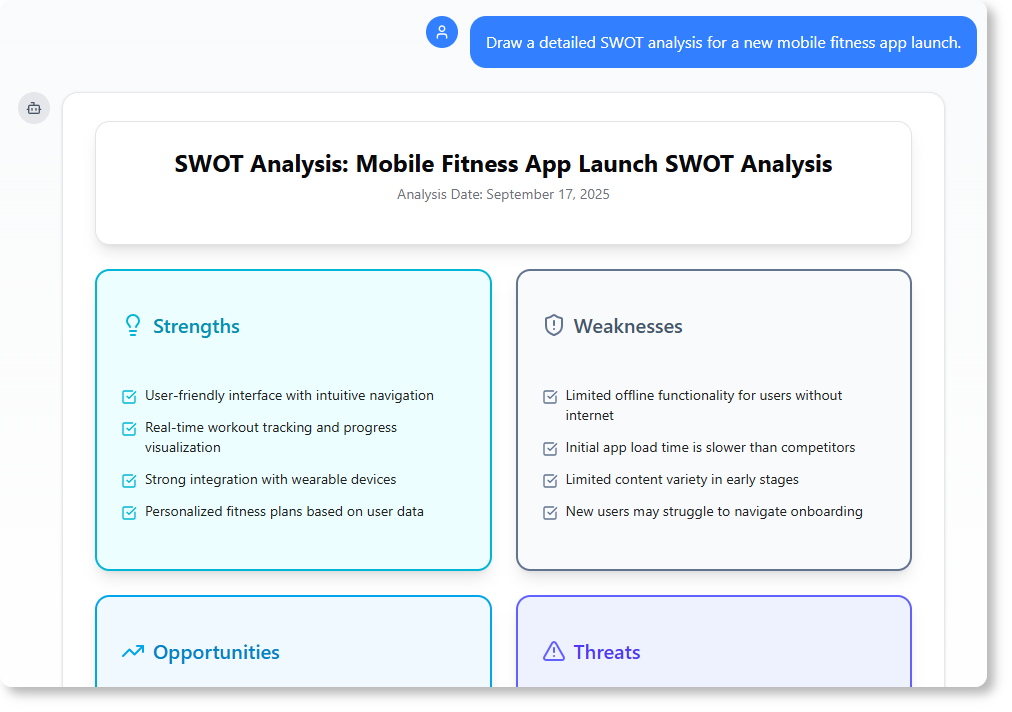
Prompt: Draw a detailed SWOT analysis for a new mobile fitness app launch.
Chat History →
Fitness Tracking Application
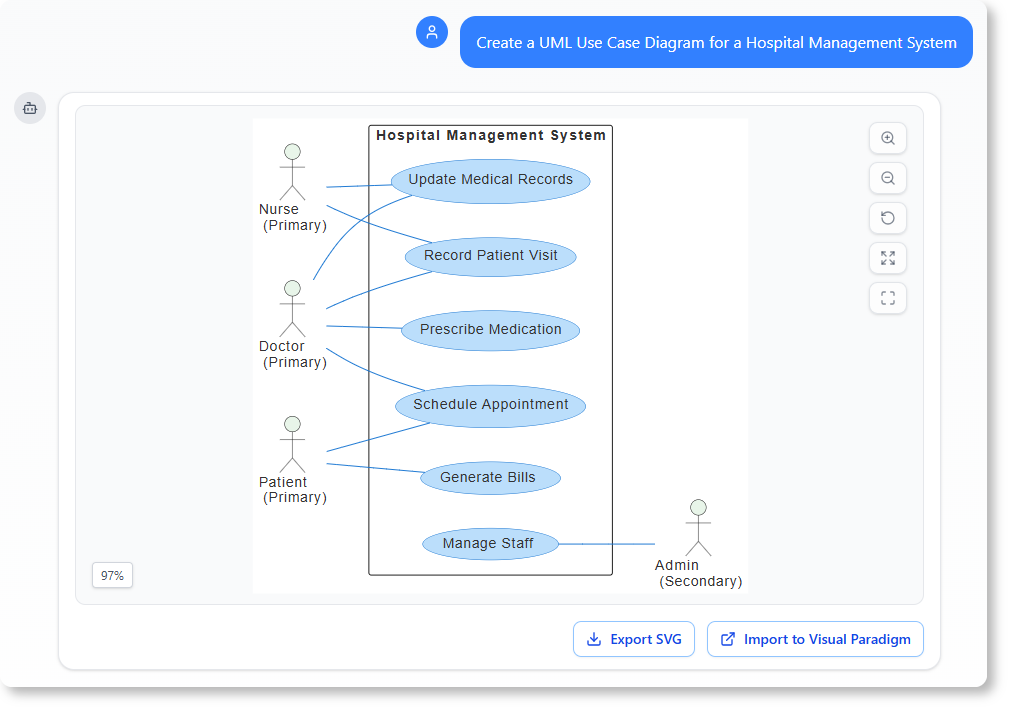
Prompt: Create a UML Use Case Diagram for a Hospital Management System.
Chat History →
Refine and Enhance
Once your initial diagram is generated, your work is just beginning. The AI Chatbot allows you to evolve your visual models through simple, conversational commands, applying sophisticated changes without ever touching a drag-and-drop editor. This feature is perfect for quick iterations and ensuring your diagram accurately reflects design changes or new requirements.
Prompt: Add an alternative path to this Sequence Diagram to handle “book damage”
Chat History
Prompt: Rename Customer to User.
Chat History
Prompt: Translate the diagram content to Simplified Chinese.
Chat History
Explain and Document
The AI Chatbot goes beyond drawing; it makes your diagram an intelligent knowledge base. You can ask it to generate clear, structured documentation, summaries, and reports directly from your visual model. This saves countless hours on project documentation and ensures your reports are always in sync with your latest design.
Prompt: Explain this Sequence Diagram to me.
Chat History
Prompt: Generate a Use Case Description on the “Withdraw Cash” use case.
Chat History →
Prompt: Describe the user journey in this Activity Diagram.
Chat History →
Analyze and Question
Use the AI Chatbot as a domain expert to validate your design against established standards. By asking targeted questions, you can uncover potential flaws, get suggestions for improvements, and ensure your model adheres to industry best practices in UML, ArchiMate, and more, all through a simple conversation.
Prompt: What are the security risks in this Deployment Diagram?
Chat History
Prompt: What are the possible scenario for the “Place Order” use case?
Chat History
Prompt: How can we improve the scalability of this system architecture?
Chat History
Welcome to Visual Paradigm AI Assistant
I can help you create professional diagrams, perform business analysis, and explain complex concepts. What would you like to do today?
The World’s Leading AI-Powered Visual Modeling Chatbot
Go from a simple text prompt to a complete, presentation-ready diagram in seconds. Let our AI handle the complex drawing, so you can focus on building great systems.
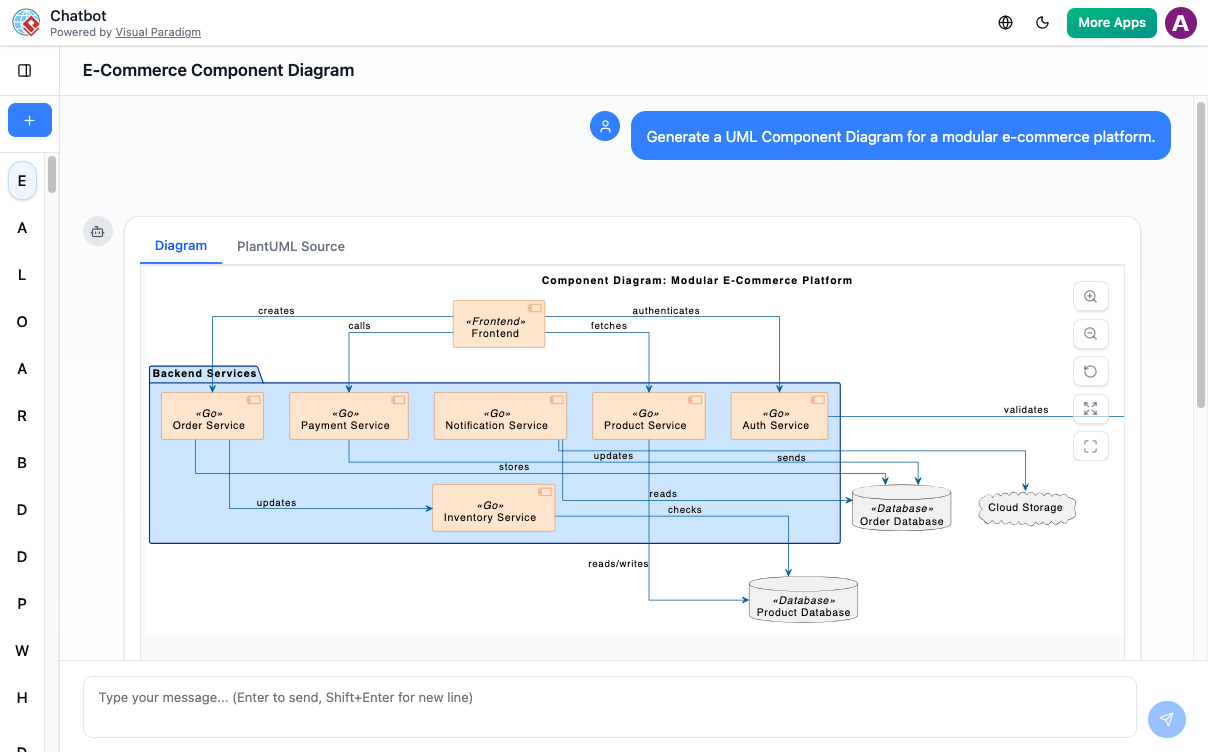
Your Creative Co-Pilot for Visuals
From the first spark of an idea to the final presentation, our AI is with you every step of the way. Here’s how you can supercharge your workflow.
Instant Diagram Generation
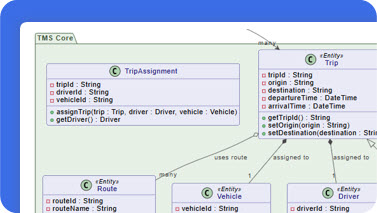
Staring at a blank canvas? Just describe your idea in plain text. Watch as our AI architect maps out a detailed, accurate diagram in seconds.
Edit with Simple Commands
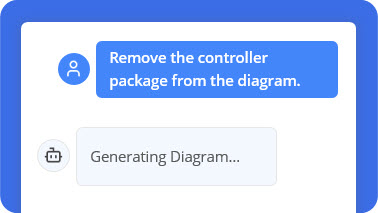
Think of it as a conversation with your canvas. Simply tell the AI, ‘Add a database’, or ‘Rename User’ to ‘Customer’, and consider it done.
Ask Your Diagram Anything
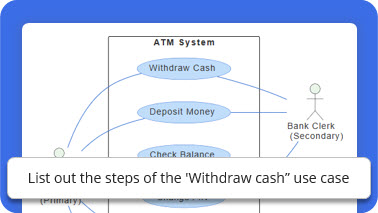
Go beyond the visuals. Your diagram is now a knowledge base. Ask how to implement a deployment, or for the main scenarios in a use case.
Never Lose Your Train of Thought
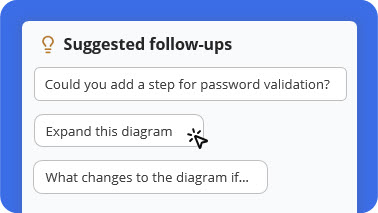
Unsure what to explore next? Our AI provides smart, contextual suggestions to help you delve deeper, refine your design, or uncover new insights.
Documentation on Demand Generation
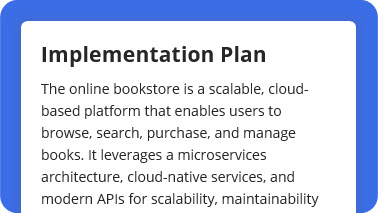
Turn any diagram into professional documentation. Ask for a detailed report, a summary, or a project proposal based on your visual model.
From AI to Pro Tool Generation
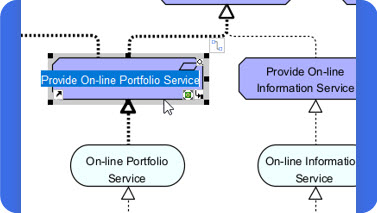
Happy with the AI-generated design? Seamlessly export your diagram to the Visual Paradigm desktop app for advanced modeling and team collaboration.
How It Works: From Idea to Intelligent Diagram
Go from idea to intelligent diagram in just a few steps.
1️⃣ Describe Your Idea
Start by typing what you want to create — for example, “Create a use case diagram for an online shopping system.” Our AI instantly understands your intent and begins visualizing your concept.
2️⃣ Generate Your Diagram Instantly
In seconds, your text becomes a complete, presentation-ready diagram. No templates or manual drawing required — just clear, accurate visuals.
3️⃣ Refine with Simple Commands
Need changes? Talk to your diagram naturally. Type commands like “Add payment gateway” or “Rename Customer to Buyer.” The AI updates your diagram immediately.
4️⃣ Explore, Document, and Share
Ask questions like “What are the main use cases?” or “Generate a project summary.” Export your work or continue refining in the Visual Paradigm desktop app for advanced collaboration.
Unmatched AI Diagramming Support
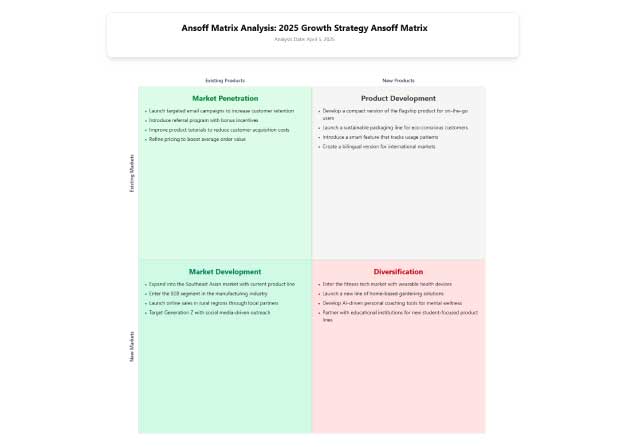
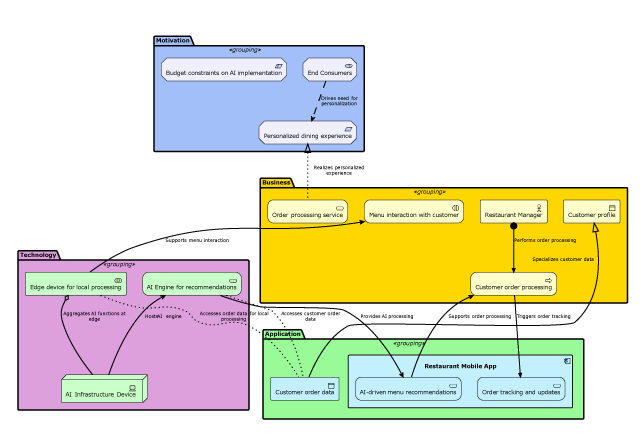
From software engineering to business strategy, our AI covers a comprehensive suite of standards to bring your ideas to life.
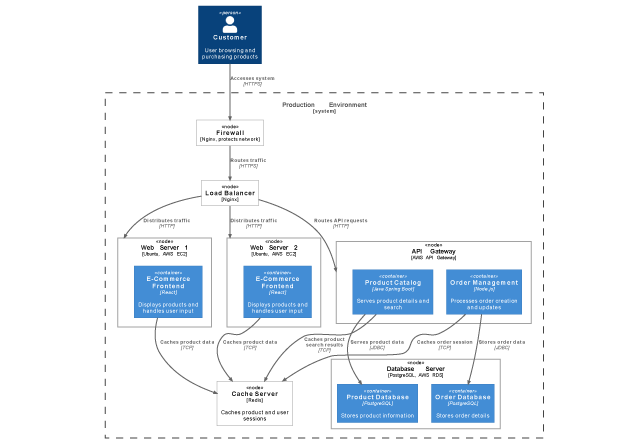
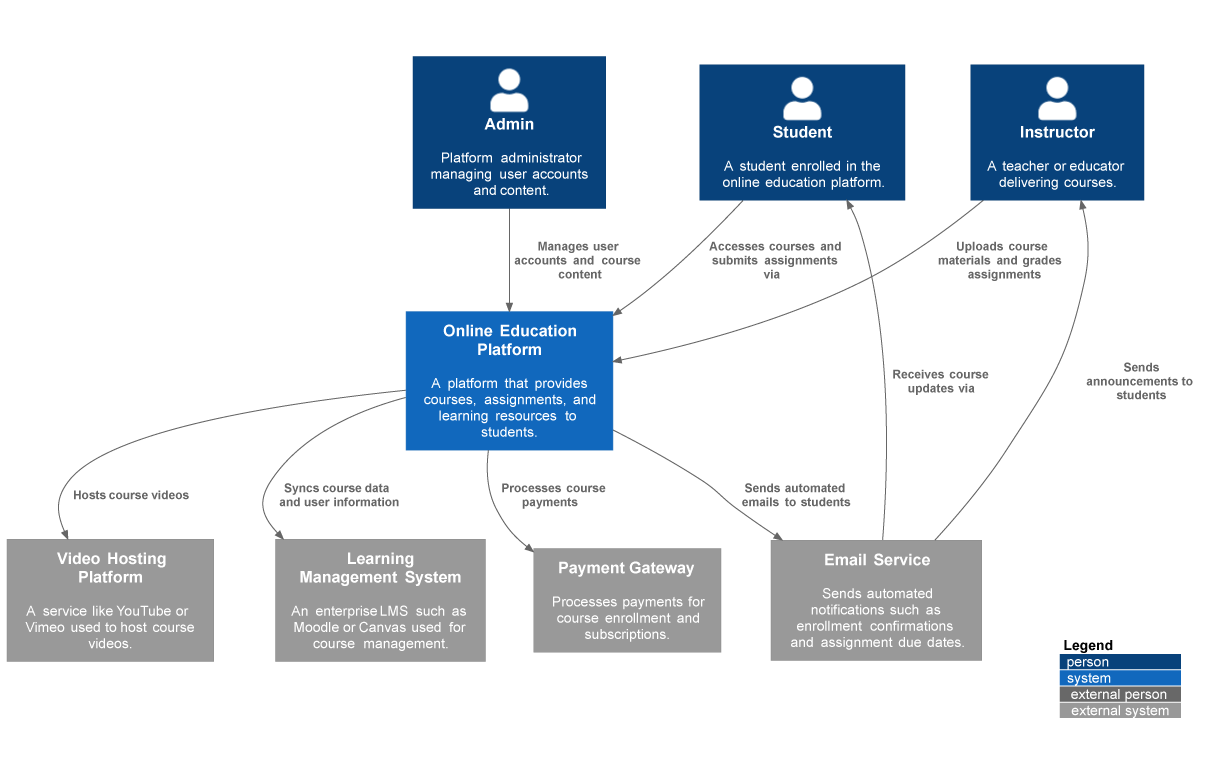
All • Business & Enterprise • C4 • General • Software Engineering • SysML
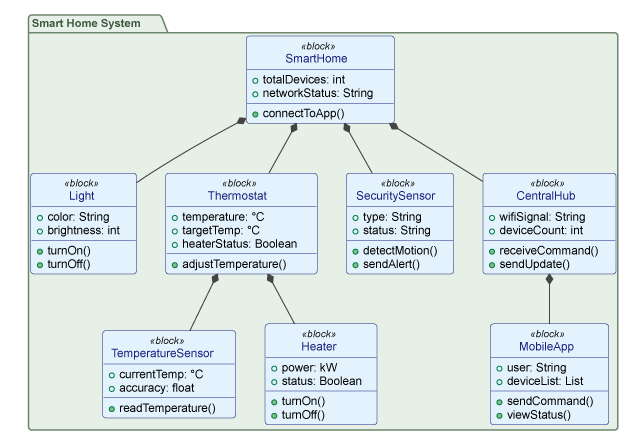
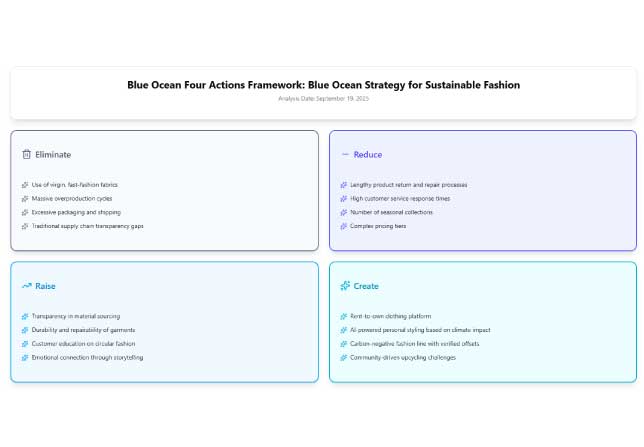
Blue Ocean Four Actions Framework
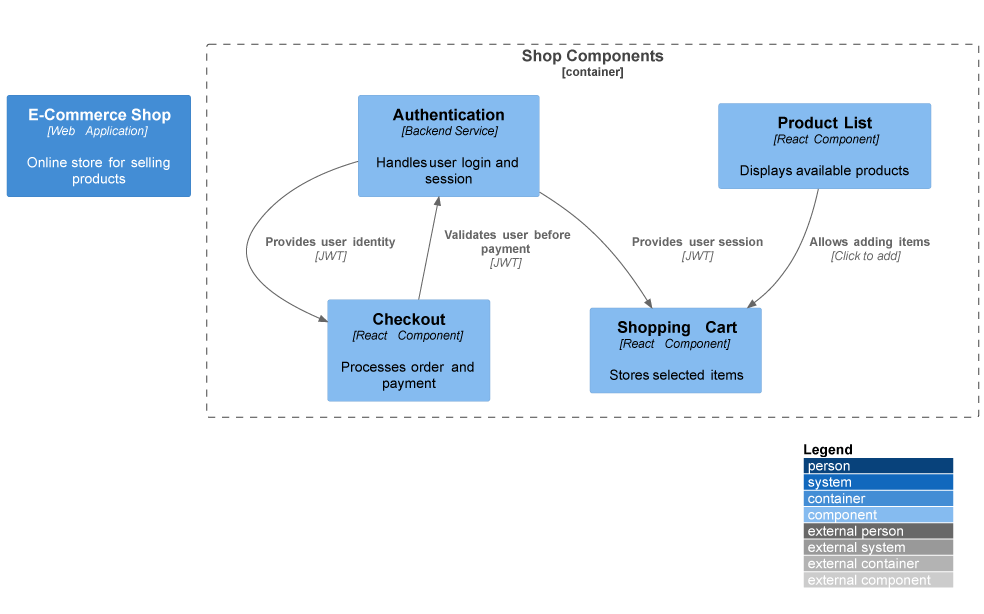
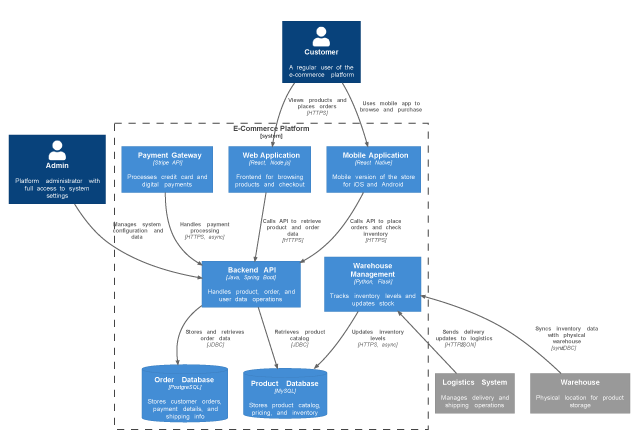
What Our Community Says
See how professionals around the world are transforming their workflow with our AI-powered visual modeling tool.
“I used to spend hours sketching system contexts. Now I can focus on architecture decisions while the AI handles the drawing.”
Maria Thompson • Solution Architect
“Turning diagrams into reports with one command saves me hours during project reviews and makes my workflow much more efficient.”
Daniel Rivera • Project Manager
“I asked for a ‘deployment diagram for a cloud-based CRM,’ and it delivered exactly what I imagined. The accuracy blew me away.”
Liam Park • Cloud Architect
“As a startup founder, I use it to brainstorm product ideas visually. It helps me turn thoughts into structured business models fast.”
Aisha Khan • Founder & CEO
Frequently Asked Questions
Have questions? We’ve got answers. If you can’t find what you’re looking for, feel free to contact us.
Q1. What types of diagrams can I create?
Our AI supports a wide range of diagrams across various domains, including UML, C4 models for software architecture, and strategic frameworks like SWOT and PESTLE analysis. Check out our ‘Diagrams’ section for a more comprehensive list.
Q2. How does the text-to-diagram feature work?
Simply describe what you want in plain language. The AI interprets your intent, applies industry-standard notation rules, and renders a professional diagram instantly.
Q3. Can I edit the diagrams created by the AI?
Absolutely. All AI-generated diagrams are fully editable. You can refine them through conversational commands or export to Visual Paradigm Desktop for advanced editing.
Q4. How can I collaborate with my team on these diagrams?
Export diagrams to Visual Paradigm Online or Desktop for real-time collaboration, version control, and team commenting features.
Q5. Is the data I enter into the AI secure?
Yes. Visual Paradigm prioritizes data security and privacy. Your prompts and diagrams are handled according to enterprise-grade security standards.
Q6. How accurate are the AI-generated diagrams?
The AI is trained on industry standards and best practices. While highly accurate for common patterns, we recommend reviewing generated diagrams for complex or domain-specific requirements.
Q7. Can the AI help me learn about diagramming standards?
Definitely! Use the chatbot to ask questions about UML, ArchiMate, or C4 notation. It can explain concepts, provide examples, and guide your learning journey.
Why Choose Visual Paradigm AI Chatbot?
Key Benefits
| Benefit | Description |
|---|---|
| Eliminates “Blank Page” Syndrome | Quickly generates initial drafts (often 90% complete), saving hours of manual sketching. |
| Democratizes Modeling | Enables non-experts, such as stakeholders or project managers, to produce industry-standard UML or BPMN visuals without deep technical knowledge. |
| Workflow Continuity | Unlike standalone AI tools, it is embedded within Visual Paradigm Online and Desktop environments, allowing generated work to be imported for advanced refinement. |
| Multi-Language Support | Supports prompts and UI in multiple languages, including Spanish, French, Chinese, Japanese, and German. |
Ideal Use Cases
-
Early Project Planning: Sketching architecture or business processes before formalizing details.
-
Agile Sprints: Rapidly updating use cases or activity diagrams during team discussions or after a retrospective.
-
Documentation on Demand: Instantly turning a visual model into a structured project proposal or technical report.
-
Learning & Teaching: Using AI-generated examples to understand complex modeling standards.
Target Users
| Role | How They Benefit |
|---|---|
| Software Architects & Developers | Quickly model system contexts, microservices, and class relationships. |
| Business Analysts | Map out operational workflows and strategic business models. |
| Scrum Masters & Project Managers | Visualize team processes and generate automated reports. |
| Founders & Educators | Brainstorm product ideas or teach visual modeling concepts. |
Conclusion
The Visual Paradigm AI Chatbot represents more than just a productivity upgrade—it signals a fundamental shift in how teams conceptualize, communicate, and collaborate around complex systems. By removing the friction between idea and visualization, it empowers professionals at every level to focus on what matters most: solving problems, making strategic decisions, and driving innovation.
Whether you’re a software architect mapping microservices, a business analyst refining workflows, or a founder pitching your next big idea, this AI-powered co-pilot ensures your visuals are accurate, professional, and ready to share—in seconds, not hours. With seamless integration across web and desktop, support for global standards, and an intuitive conversational interface, Visual Paradigm AI Chatbot doesn’t just help you draw diagrams; it helps you think clearer, work faster, and build better.
In a world where clarity is currency, the ability to instantly transform thought into structured visual intelligence isn’t just advantageous—it’s essential. The future of visual modeling is conversational, collaborative, and powered by AI. And with Visual Paradigm, that future is already here.
Reference
- Visual Paradigm AI Chatbot Features: Official product page outlining the AI Chatbot’s capabilities for instant diagram generation, conversational editing, and seamless integration with Visual Paradigm tools.
- Visual Paradigm AI Chatbot Platform: Direct access to the AI-powered conversational modeling assistant for creating professional diagrams through natural language prompts.
- Harnessing Visual Paradigm’s AI for Diagram Generation: The Ultimate 2026 Guide: Comprehensive third-party guide exploring how Visual Paradigm’s AI ecosystem combines intelligence, structure, and integration for smarter diagramming workflows.
- Visual Paradigm AI Chatbot: Turn Your Ideas into Diagrams Instantly: Official blog post demonstrating how to transform text prompts into presentation-ready UML, C4, and strategic diagrams in seconds.
- Visual Paradigm AI Chatbot Multi-Language Support Release: Release notes detailing expanded language capabilities including Spanish, French, Chinese, Japanese, and German support for global teams.
- AI Chatbot Features Overview: Dedicated features page highlighting instant generation, conversational editing, documentation on demand, and contextual suggestions.
- Visual Paradigm 18.0 Release: AI-Powered Features: Major release announcement introducing AI-powered diagramming capabilities integrated into the Visual Paradigm desktop environment.
- What Makes Visual Paradigm’s AI Chatbot Different from Other AI Diagram Tools?: Comparative analysis explaining the unique advantages of Visual Paradigm’s embedded AI approach versus standalone diagramming tools.
- Revolutionizing Use Case Elaboration with Visual Paradigm AI: A Comprehensive Guide: In-depth tutorial on leveraging AI to accelerate use case modeling, documentation, and refinement processes.
- Visual Paradigm AI Chatbot: The AI-Powered Tool for Component Diagrams: Specialized review focusing on the chatbot’s effectiveness for generating and editing software architecture component diagrams.

