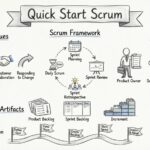
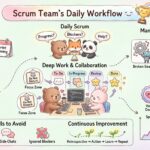
Mobile application development moves at a pace that can feel overwhelming for students entering the field. Features are added, bugs are found, and user feedback changes direction frequently. Traditional waterfall methods often fail in this environment because they require all requirements to be defined upfront. Scrum offers a framework that embraces change while maintaining structure. This guide provides a clear path for students to apply Scrum principles to their mobile projects.
Understanding the Agile Foundation 🧱
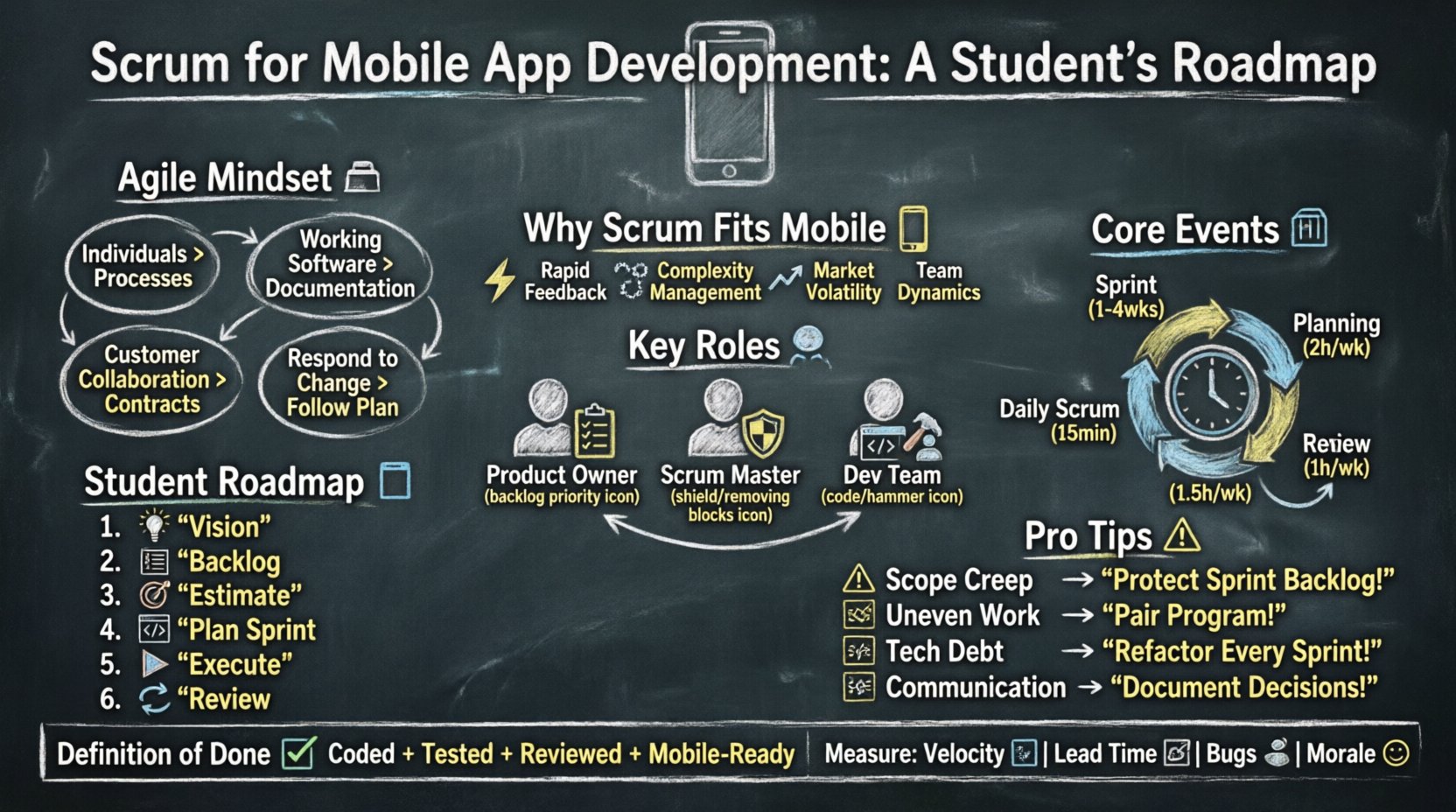
Before diving into the mechanics of mobile development, it is essential to understand the underlying philosophy. Agile is not just a set of rules; it is a mindset. It prioritizes individuals and interactions over processes and tools. It values working software over comprehensive documentation. It values customer collaboration over contract negotiation. It values responding to change over following a plan.
For a student, this shift means stopping the urge to plan every single button press in a spreadsheet before writing code. Instead, you build a small piece, get feedback, and adjust. This reduces the risk of building something nobody wants.
Why Scrum Fits Mobile Development 📱
Mobile platforms introduce specific constraints and opportunities that make iterative frameworks ideal. Consider the following factors:
- Rapid Feedback Loops: App stores allow you to release updates quickly. You can test a feature with a small group of users and iterate based on their behavior.
- Complexity Management: Mobile apps interact with hardware (camera, GPS, sensors). Breaking this down into smaller chunks prevents integration nightmares later.
- Market Volatility: Design trends and operating system updates change frequently. A rigid plan becomes obsolete within months.
- Team Dynamics: Student projects often involve shifting schedules and varying skill levels. Scrum events provide regular touchpoints to align everyone.
Key Roles in a Student Scrum Team 👥
In a professional setting, roles are often specialized. In a student context, individuals may wear multiple hats. However, understanding the distinct responsibilities helps clarify accountability.
Product Owner (PO)
This person represents the voice of the user and the business. They are responsible for the Product Backlog. In a student group, the PO might be the person who defines the core value proposition. They decide what features are most important for the next release.
- They prioritize tasks based on value.
- They clarify requirements for the developers.
- They accept or reject completed work.
Scrum Master (SM)
This role is often misunderstood as a manager. In reality, the Scrum Master serves the team by removing impediments. They facilitate meetings and ensure the process is followed. For students, this might be the member who schedules the daily stand-up or tracks the progress on a whiteboard.
- They protect the team from outside distractions.
- They coach the team on self-organization.
- They help resolve conflicts within the group.
Development Team
This is the group that does the actual work. They are cross-functional, meaning they have the skills necessary to build a usable product (design, coding, testing). They estimate the work and commit to the sprint goals.
- They are self-managing.
- They code the application.
- They write the tests.
Essential Artifacts 📝
Artifacts represent work or value. They provide transparency. There are three primary artifacts in this framework.
Product Backlog
This is an ordered list of everything that is known to be needed in the product. It is the single source of requirements. It is never finished. As students learn more about the project, new items are added, and existing ones are refined.
Sprint Backlog
This is the set of Product Backlog items selected for a Sprint, plus a plan for delivering the product Increment. It belongs to the Development Team. It is updated daily as work is completed.
Increment
This is the sum of all Product Backlog items completed during a Sprint and the value of the increments of all previous Sprints. An Increment must be usable, even if it is not ready for the store yet.
Core Events and Ceremonies 🗓️
Events are time-boxed to ensure efficiency. They provide regular opportunities to inspect and adapt.
| Event | Duration | Purpose |
|---|---|---|
| Sprint | 1-4 Weeks | Time to complete the work |
| Sprint Planning | Up to 2 hours per week | Select work to do |
| Daily Scrum | 15 Minutes | Align and plan for the day |
| Sprint Review | Up to 1 hour per week | Demonstrate the work |
| Sprint Retrospective | Up to 1.5 hours per week | Improve the process |
Sprint Planning
This event kicks off the Sprint. The team discusses what can be delivered in the upcoming Sprint. The Product Owner explains the top items. The Development Team determines how much they can commit to. For mobile apps, this often involves considering build times and store submission windows.
Daily Scrum
This is a 15-minute meeting for the Development Team. It is not a status report for the manager. It is a planning meeting for the next 24 hours. Each member answers three questions:
- What did I do yesterday?
- What will I do today?
- Do I see any impediments?
Sprint Review
This is where the team shows the stakeholders what was built. The focus is on the Increment, not the process. For students, this might be a demo for professors or classmates. Feedback is gathered to update the Product Backlog.
Sprint Retrospective
This is the most important event for improvement. The team looks inward at their process. They discuss what went well, what went wrong, and what can be improved. This is where technical debt is addressed.
A Student’s Implementation Roadmap 🛣️
Applying this to academic projects requires adaptation. You have a fixed deadline (the semester end) but flexible requirements. Here is a step-by-step approach.
Step 1: Define the Vision
Before writing code, agree on the problem you are solving. Create a high-level vision statement. This keeps the team focused when distractions arise.
- Who is the user?
- What problem does the app solve?
- What is the core value?
Step 2: Create the Product Backlog
Brainstorm features and write them as User Stories. A standard format is: “As a [user], I want to [action], so that [benefit].” Do not try to write every detail. Leave room for refinement.
Step 3: Estimate and Prioritize
Use relative estimation methods like Planning Poker. This helps the team understand the complexity of tasks. The Product Owner prioritizes based on value. Ensure the most critical features are at the top.
Step 4: Plan the First Sprint
Commit to a realistic amount of work. For students, a two-week Sprint is often a good balance between learning and delivery. Select the top items from the backlog that can be completed in that time.
Step 5: Execute and Monitor
Hold daily meetings. Track progress using a simple task board (physical or digital). If tasks are not moving, discuss why. Do not hide delays.
Step 6: Review and Adapt
At the end of the Sprint, demonstrate the working software. Gather feedback. Update the backlog. Plan the next Sprint.
Common Challenges and Solutions ⚠️
Students often encounter specific hurdles when adopting this methodology. Being aware of them helps mitigate risks.
Challenge: Scope Creep
It is easy to add “just one more feature” during development. This breaks the Sprint commitment.
- Solution: Protect the Sprint Backlog. If a new idea comes up, add it to the Product Backlog, not the current Sprint.
Challenge: Uneven Workload
One student might finish early while another struggles. This causes bottlenecks.
- Solution: Encourage pair programming or cross-training. Everyone should understand multiple parts of the codebase.
Challenge: Technical Debt
Writing quick code to meet a deadline often leads to future bugs.
- Solution: Dedicate time in every Sprint to refactoring. Treat technical debt like a feature in the backlog.
Challenge: Communication Gaps
Remote collaboration can lead to misunderstandings.
- Solution: Use clear documentation for decisions. Record video walkthroughs of features. Keep communication channels open and professional.
Handling Technical Debt and Quality 🛡️
Quality is not an afterthought. It is a requirement. In mobile development, poor code quality leads to crashes and bad reviews.
- Definition of Done: Establish a clear checklist. A task is not done until it is coded, tested, reviewed, and merged. Include mobile-specific checks like screen responsiveness.
- Automated Testing: Write unit tests for logic. Use UI tests for critical user flows. This ensures that new features do not break old ones.
- Code Reviews: Every change should be reviewed by at least one other team member. This spreads knowledge and catches errors.
Tools and Infrastructure (Generic) 🛠️
You do not need expensive enterprise solutions to manage a student project. The key is consistency.
- Version Control: Use a system that tracks changes to code. This allows you to revert mistakes and work simultaneously.
- Task Management: Use a tool to visualize work. Columns for “To Do”, “In Progress”, and “Done” work well.
- Communication: Use a platform for chat and file sharing. Keep discussions organized by topic.
- Build Automation: Set up scripts to compile the app automatically. This saves time and reduces human error.
Measuring Success 📊
How do you know if Scrum is working? Look at metrics that matter.
- Sprint Velocity: How much work is completed per Sprint? This helps predict future capacity.
- Lead Time: How long does it take from idea to release? Mobile apps benefit from short lead times.
- Bug Rate: Are there fewer defects in later Sprints? This indicates improving quality.
- Team Morale: Is the team happy? A stressed team produces poor code.
Final Thoughts for the Aspiring Developer 🌟
Adopting Scrum for mobile app development is a journey. It requires discipline and communication. As a student, you have a unique advantage. You can experiment with this framework without the pressure of real-world revenue. If a Sprint fails, it is a learning opportunity, not a career-ending event.
Focus on delivering value. Focus on working software. Focus on improving the process. These principles will serve you well beyond the classroom. The mobile landscape will continue to evolve, but the ability to adapt and deliver value remains constant.
Start small. Try one Sprint. Reflect on what happened. Adjust. Repeat. This is the path to competence.