Business Process Model and Notation (BPMN) serves as the universal language for mapping workflows, bridging the gap between business stakeholders and technical teams. However, a diagram is only as valuable as its correctness. Deploying a process model that contains logical errors, missing connections, or ambiguous data flows can lead to significant operational disruptions, financial loss, and system failures once automated. This guide provides a structured approach to validating BPMN process models, ensuring they are accurate, robust, and ready for execution.
Why Validation Matters 💰
The cost of fixing an error in the design phase is exponentially lower than fixing it after implementation. A single missed exception path in a BPMN diagram can cause an automated system to hang indefinitely or route data to the wrong department. Validation acts as a safety net, catching issues before they become production incidents.
Accuracy in process modeling ensures:
- Operational Continuity: Processes run smoothly without unexpected halts.
- Compliance Adherence: Regulatory requirements are embedded correctly in the logic.
- Resource Efficiency: Human and system resources are allocated based on real flow requirements.
- Stakeholder Trust: Business users rely on the model to make decisions, knowing it reflects reality.
The Two Pillars of BPMN Validation 🔍
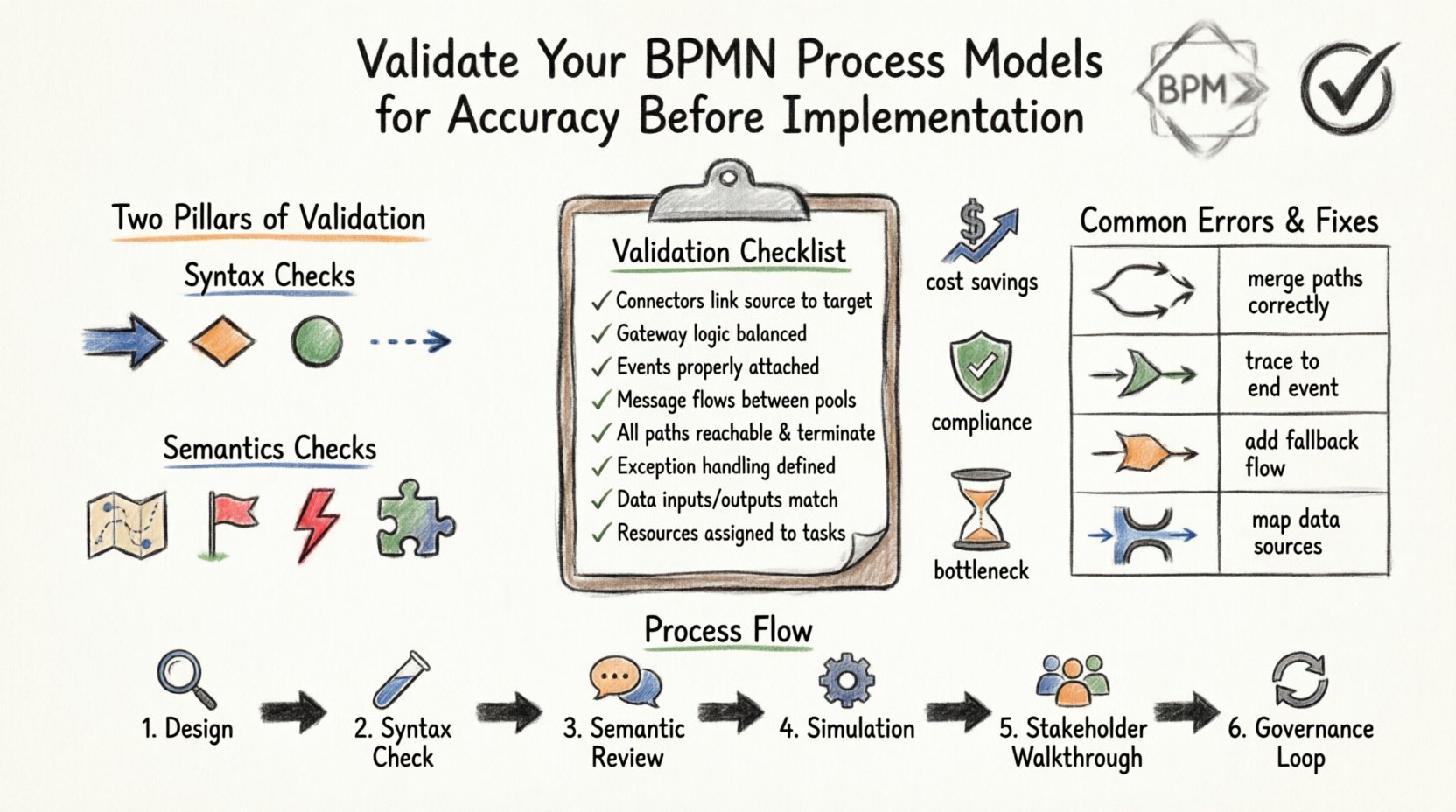
Effective validation relies on examining two distinct layers of the model: syntax and semantics. Ignoring either layer leaves the process vulnerable.
1. Syntax Checks (The Grammar) 📝
Syntax validation ensures the diagram adheres to the formal rules of the BPMN specification. This is often automated by modeling tools, but manual review is necessary for context.
Key syntax elements to verify:
- Connectors: Every flow must connect a source to a target. Orphaned start events or dangling end events indicate incomplete paths.
- Gateway Logic: Exclusive gateways must have at least one incoming and one outgoing flow. Parallel gateways require balanced split and join points unless explicitly designed otherwise.
- Event Types: Ensure boundary events are attached to activities and not gateways. Start and end events must be at the correct hierarchy level.
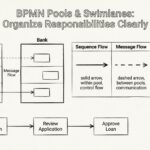
- Message Flows: Message flows can only exist between pools or lanes. Internal flows must be sequence flows, not message flows.
2. Semantics Checks (The Meaning) 💡
Semantic validation ensures the logic makes sense in the real-world context of the business. A diagram can be syntactically perfect but logically useless.
Key semantic checks include:
- Reachability: Can every task be reached from the start event? Are there unreachable loops?
- Termination: Does every path eventually lead to an end event? Infinite loops without exit conditions are a common semantic error.
- Exception Handling: Are there paths for errors? What happens if a system call fails?
- Data Consistency: Does the output of one task match the input requirements of the next task?
Data Flow and Resource Constraints 🔄
A process model is not just about control flow; it is about the movement of information and the consumption of resources. Validating these aspects prevents bottlenecks.
Input and Output Validation
Each task should have defined inputs and outputs. If a task requires specific data fields to execute, the preceding activity must provide them. Missing data objects or undefined message types often lead to runtime exceptions.
Resource Allocation
Assign roles and resources to tasks. Ensure that the workload does not exceed capacity. For example, if a “Manager Approval” task requires a specific role, verify that enough users exist in that role within the system to prevent queue buildup.
Parallel Processing
When using parallel gateways, ensure that all branches complete before the join. If one branch takes significantly longer, it may cause delays in the overall process. Validate timing expectations for parallel tasks.
Simulation and Stress Testing 🧪
Static diagrams do not reveal dynamic behavior. Running simulations allows you to test the model against hypothetical scenarios without risking live data.
Scenario Planning
Define specific scenarios to test:
- Happy Path: The ideal scenario where everything goes right.
- Edge Cases: Scenarios where data is missing, users are unavailable, or systems are down.
- Volume Testing: Simulate high transaction volumes to see if the process scales.
Performance Metrics
Track key performance indicators during simulation:
- Cycle Time: How long does the process take from start to finish?
- Wait Time: How much time is spent waiting for approvals or system responses?
- Bottlenecks: Identify where queues form.
Common Errors in BPMN Models 📊
Understanding common pitfalls helps streamline the validation process. The table below outlines frequent issues and their potential impacts.
| Category | Common Error | Impact | Validation Fix |
|---|---|---|---|
| Flow Logic | Unbalanced Parallel Gateway | Process hangs waiting for non-existent thread | Ensure all parallel paths merge correctly |
| Events | Multiple Start Events | Confusion on entry point | Consolidate to a single entry point or clarify triggers |
| Connectors | Orphaned Sequence Flow | Dead end in process flow | Trace all flows to an end event |
| Gateways | Missing Default Gateway | Exception path not taken | Add default flows for all gateway options |
| Data | Undefined Data Object | Runtime data error | Map all data objects to source and target |
| Resources | Unassigned Roles | Task never executed | Assign roles to all manual tasks |
Stakeholder Review Process 👥
Technical validation is only half the battle. Business stakeholders must verify that the model reflects their actual work practices.
Walkthrough Sessions
Conduct structured walkthroughs with process owners. Use the diagram as a visual aid to walk through steps. Ask questions like:
- Does this step match your daily routine?
- Are there any manual workarounds not shown in the diagram?
- Is the decision logic at the gateway accurate?
Feedback Integration
Document all feedback and update the model accordingly. Version control is essential here. Keep a record of changes so you can revert if a new validation cycle introduces errors.
Governance and Maintenance 🏛️
Validation is not a one-time event. Processes evolve, and models must evolve with them.
Change Management
Implement a change management process for model updates. Any modification to the BPMN diagram should trigger a validation cycle. This prevents “drift” where the model no longer matches the system.
Documentation Standards
Maintain clear documentation standards. Every diagram should have a version number, a date, and an author. Annotations should explain complex logic that cannot be easily visualized.
Audit Trails
Keep logs of who approved the model and when. This is crucial for regulatory compliance. It provides an audit trail showing that due diligence was performed before implementation.
Deep Dive: Specific BPMN Elements to Scrutinize 🔎
While general rules apply, specific elements require closer inspection.
Gateways
Gateways control the flow. Ensure Exclusive Gateways (XOR) have a default path. If a condition isn’t met, where does the flow go? Without a default, the process may stop. Inclusive Gateways (OR) require careful checking of condition combinations to avoid multiple paths being taken simultaneously if that is not intended.
Tasks and Subprocesses
Complex tasks should be broken down. If a task is too large, consider making it a subprocess. Validate that subprocesses have their own start and end events. Ensure data passed into a subprocess matches the data required by the subprocess.
Events
Events trigger or conclude the process. Timer events require specific time settings. Validate that the timer settings are realistic. Error events must be attached to activities that can fail. Message events require corresponding message definitions.
Technical Implementation Considerations ⚙️
When moving from design to execution, technical constraints come into play.
Engine Compatibility
Different process engines support different BPMN features. Validate that the features used in the model are supported by the target execution engine. For example, some engines may not support complex scripting inside tasks.
Integration Points
Identify where the process interacts with external systems. Validate API endpoints, data formats, and authentication methods. A process model that assumes a system is available when it is not will fail at runtime.
Security
Ensure sensitive data is not exposed in the model unnecessarily. Task names or data objects might reveal sensitive information. Review the diagram for compliance with data privacy regulations.
Final Thoughts on Accuracy 🎯
Validating BPMN models is a discipline that combines technical rigor with business understanding. It requires patience, attention to detail, and a willingness to challenge assumptions. By following a structured validation process, organizations can ensure their process automation is reliable, efficient, and aligned with business goals.
Investing time in accuracy before implementation saves time, money, and reputation in the long run. Treat the model as a contract between business needs and technical execution. When that contract is clear and validated, the resulting automation delivers value.
Remember that a perfect model is a moving target. Continuous improvement should be part of the lifecycle. Regular reviews keep the model fresh and relevant. With the right validation practices in place, BPMN becomes a powerful tool for organizational excellence.