The shift toward distributed work has fundamentally changed how we approach business process modeling. When teams are no longer gathered around a single whiteboard, the precision required for Business Process Model and Notation (BPMN) becomes even more critical. Designing a process remotely demands a structured approach to communication, version control, and visual clarity. Without the ability to point at a screen and clarify a symbol in real-time, ambiguity can creep into the model.
This guide outlines a practical framework for facilitating BPMN sessions across time zones and locations. We will explore how to maintain the integrity of the process logic while accommodating the limitations of digital collaboration tools. The goal is to create models that are accurate, readable, and ready for implementation, regardless of where the stakeholders reside.
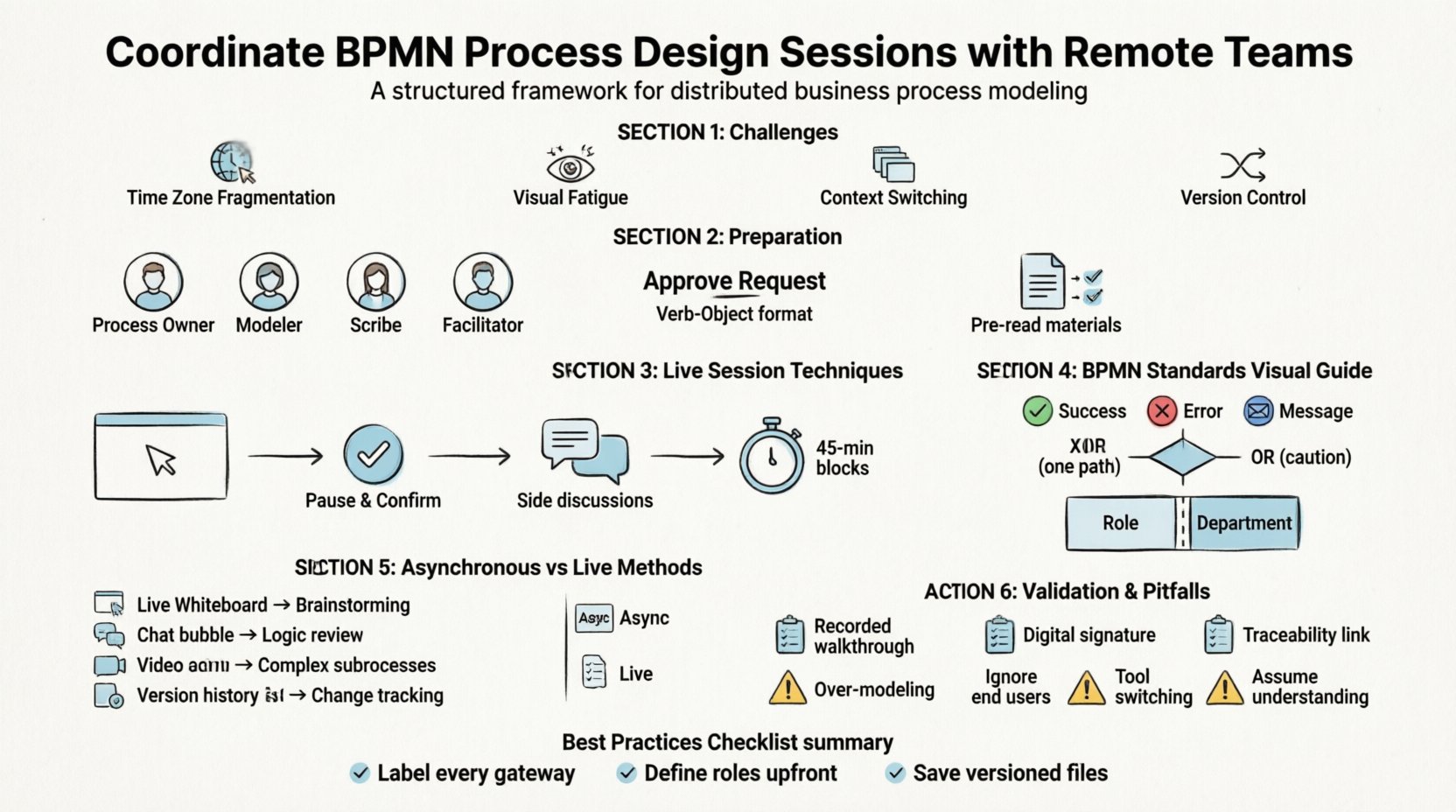
🧩 The Unique Challenges of Remote BPMN Modeling
Creating a process map is an exercise in logic and visualization. When done in person, you can read body language to gauge confusion. You can draw a quick draft in the margin to test an idea. Remote environments strip away these non-verbal cues. Here are the specific friction points that arise:
- Time Zone Fragmentation: Real-time collaboration is often impossible when the team spans multiple continents. Decisions that take minutes in a meeting room may take days via email.
- Visual Fatigue: Staring at a digital canvas for hours leads to missed details. A symbol meant to represent an XOR gateway might be confused with an AND gateway without immediate clarification.
- Context Switching: Participants often join from different environments. Noise, distractions, and lack of focus can degrade the quality of the modeling session.
- Version Control: Without a single source of truth, team members may edit local copies of the model, leading to conflicting logic branches.
To mitigate these risks, the process design session must be treated as a structured event rather than an open discussion. Every step requires a defined input, a clear output, and a method of verification.
📋 Preparation: Laying the Groundwork Before the Session
The success of a remote BPMN workshop is determined before the first meeting starts. Preparation ensures that when the team logs in, they are ready to model, not to debate definitions.
1. Define Roles and Responsibilities
In a physical room, roles are often fluid. Remotely, they must be explicit. Assign the following roles clearly:
- Process Owner: The individual with the authority to make final decisions on the logic and scope.
- Modeler: The person responsible for drawing the symbols and maintaining the file integrity.
- Scribe: Someone tasked with capturing decisions in a chat log or document, as the Modeler cannot type while drawing.
- Facilitator: Ensures the agenda is followed and time zones are respected.
2. Establish Naming Conventions
BPMN relies heavily on text labels. A label like “Check” is ambiguous. Does it mean “Check if the user exists” or “Check the inventory”? Establish a standard before you begin modeling:
- Verb-Object Format: Use action-based labels. Instead of “Approval”, use “Approve Request”.
- Consistent Terminology: Agree on whether to use “Customer” or “Client” throughout the model.
- Gateway Logic Labels: Define how conditions are phrased. Use “Yes/No” or “True/False” consistently.
3. Pre-Read Materials
Do not use the modeling session to explain the business context. Send a pre-read document that includes:
- The scope of the process (Start to End).
- Any existing documentation or legacy process flows.
- The list of stakeholders involved in the specific subprocess.
This ensures that the session focuses on the how and the logic, rather than the what.
🎥 Facilitating the Session: Techniques for Live Collaboration
When the team comes together, the focus must remain on the screen. The facilitator plays a crucial role in keeping the energy high and the focus sharp.
1. Screen Sharing and Zoom Controls
Ensure the Modeler has control over the canvas. If multiple people try to draw simultaneously, the model becomes corrupted. Use screen sharing features that allow the Modeler to control the cursor visibility. This prevents other participants from accidentally clicking on symbols.
2. The “Pause and Confirm” Rule
When a complex logic block is added, pause the flow. Ask the group: “Does this logic cover all scenarios?” Do not move to the next step until the current path is validated. This prevents the accumulation of errors that are hard to fix later.
3. Utilizing Chat for Side Discussions
In a remote setting, the chat box is a vital tool. If a question arises that does not need to stop the whole group, send it to the chat. The Facilitator or Scribe can address it during a scheduled break. This keeps the main audio channel clear for modeling decisions.
4. Timeboxing Segments
Human attention spans are limited. Break the session into 45-minute blocks with 10-minute breaks. This reduces fatigue and keeps the quality of the modeling high. Do not attempt to model a 100-step process in one sitting.
🛠 BPMN Specific Standards for Remote Teams
Since you cannot rely on quick verbal clarifications, the visual language of BPMN must be stricter. Adhering to standard symbols reduces the cognitive load on the viewer.
1. Event Types and Boundaries
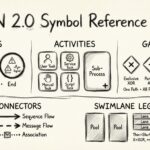
Be explicit about event types. An error event looks similar to a message event. In remote sessions, ensure the color coding or icon shape is distinct. If using a tool that allows custom colors, agree on a legend beforehand. For example:
- Green: Success/Completion.
- Red: Error/Exception.
- Blue: Message/Communication.
2. Gateway Clarity
Gateways determine the flow of the process. In a distributed team, a diamond shape might be misinterpreted if the internal shape is unclear. Stick to the standard BPMN shapes:
- XOR Gateway: One path out. Use for “Either/Or” scenarios.
- AND Gateway: All paths out. Use for “Parallel” scenarios.
- OR Gateway: One or more paths out. Use with caution as it can be complex.
Label every outgoing path from a gateway. Never leave a flow line without a condition label.
3. Swimlanes and Pools
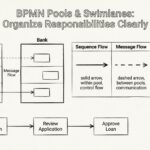
When defining who performs an activity, use Swimlanes. In a remote model, these should be clearly labeled with the department or role name. If the process involves external entities, use a separate Pool to distinguish internal logic from external interactions.
🔄 Asynchronous Design: When Live Sessions Aren’t Possible
Sometimes, coordinating a live meeting is not feasible. In these cases, asynchronous design becomes necessary. This requires a different workflow where the model evolves over days rather than minutes.
| Method | Best Use Case | Communication Channel |
|---|---|---|
| Live Whiteboard | Brainstorming, High-level Flow | Video Call with Screen Share |
| Comment Threads | Reviewing specific logic blocks | Integrated Tool Comments |
| Document Walkthrough | Explaining complex subprocesses | Recorded Video with Annotations |
| Version History Review | Tracking changes over time | Email or Ticket System |
When working asynchronously, the Modeler acts as a solo driver. They make changes, save the file, and notify stakeholders. Stakeholders then review the changes and leave comments. This loop must be documented to ensure no feedback is lost.
🔍 Validation and Sign-Off in a Digital Environment
Once the model is drafted, it needs validation. Remote validation requires a formal process to ensure everyone agrees with the logic.
1. The Walkthrough Record
Record the final walkthrough session. This serves as a reference if the process logic is questioned later. Ensure the recording captures the screen, the audio, and the chat history if relevant decisions were made there.
2. Digital Signatures
Do not rely on verbal “looks good” statements. Use a formal sign-off mechanism. This could be a digital signature on a document that references the specific version of the model, or an approval status change in the collaboration tool.
3. Traceability Matrix
Link the BPMN model to requirements. If the process includes a specific step for compliance, ensure there is a requirement ID attached to that activity. This makes the remote model auditable and traceable without needing to ask the original designer.
⚠️ Common Pitfalls to Avoid
Even with a plan, remote BPMN sessions can go off track. Be aware of these common traps.
- Over-Modeling: Trying to model every single detail in the first session. Start with the happy path (the standard flow) and add exceptions later.
- Ignoring the End User: Remote sessions often focus on the system logic. Ensure the people who actually perform the tasks are included in the review. They know the friction points best.
- Tool Switching: Don’t switch between different modeling tools during the project. Stick to one standard to maintain file compatibility.
- Assuming Understanding: Never assume a stakeholder understands a symbol. In a remote setting, assume there is a 50% chance of confusion and clarify anyway.
📝 Best Practices Checklist
Before concluding the project, review this checklist to ensure the remote collaboration was effective.
- ☑️ Were all stakeholders invited and acknowledged?
- ☑️ Was the naming convention documented and shared?
- ☑️ Is every gateway labeled with a condition?
- ☑️ Is the file version number current in the repository?
- ☑️ Was the walkthrough recorded and stored?
- ☑️ Are the swimlanes clearly defined by role?
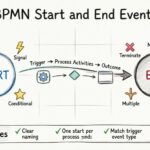
- ☑️ Is the start and end event clearly marked?
- ☑️ Have exceptions (error paths) been mapped?
- ☑️ Is there a formal sign-off from the Process Owner?
🌐 The Future of Distributed Process Design
As teams become more distributed, the skills required for process modeling are evolving. It is no longer enough to know the notation. You must understand how to facilitate complex logic discussions across digital barriers. The process model becomes the single source of truth for a distributed organization.
By treating the design session as a structured event, adhering to strict standards, and utilizing asynchronous tools effectively, you can build robust process models that drive efficiency. The distance between team members should not create distance between understanding and execution. With discipline and the right framework, remote BPMN design is not just possible—it can be more thorough than in-person sessions.
💡 Frequently Asked Questions
Q: How do I handle conflicting opinions in a remote session?
A: If two stakeholders disagree on the logic, do not resolve it live if it stalls the group. Mark the section as “To Be Decided” (TBD) and move on. Resolve the conflict offline between the Process Owner and the stakeholders, then update the model later.
Q: Can I use sticky notes for remote BPMN?
A: Yes. Digital whiteboards often support sticky notes for brainstorming. However, ensure these are converted into formal BPMN activities before finalizing the model. Sticky notes are for ideas, not for the final standard.
Q: What if the internet connection fails during a session?
A: Always save your work locally and to the cloud frequently. Have a backup communication channel, such as a phone call, in case the collaboration tool goes offline. This ensures the session can continue or resume without losing the work done.
Q: Is it better to model the whole process or break it down?
A: Break it down. A single model with more than 50 activities is difficult to maintain and review. Use sub-processes to group related activities. This makes the model easier to digest for remote reviewers.