Organizations often operate with a complex ecosystem of applications. Some are modern cloud-native platforms, while others remain foundational legacy systems. These older systems frequently hold critical business data and logic that cannot be easily discarded. The challenge lies in understanding how these systems communicate without access to their internal source code or proprietary documentation. This is where standard process notation becomes essential.
Using Business Process Model and Notation (BPMN) to document legacy system interactions provides a universal language. It bridges the gap between technical constraints and business requirements. This guide outlines the authoritative approach to mapping these interactions. It focuses on accuracy, clarity, and maintainability without relying on specific vendor tools.
🔍 The Necessity of Standard Notation
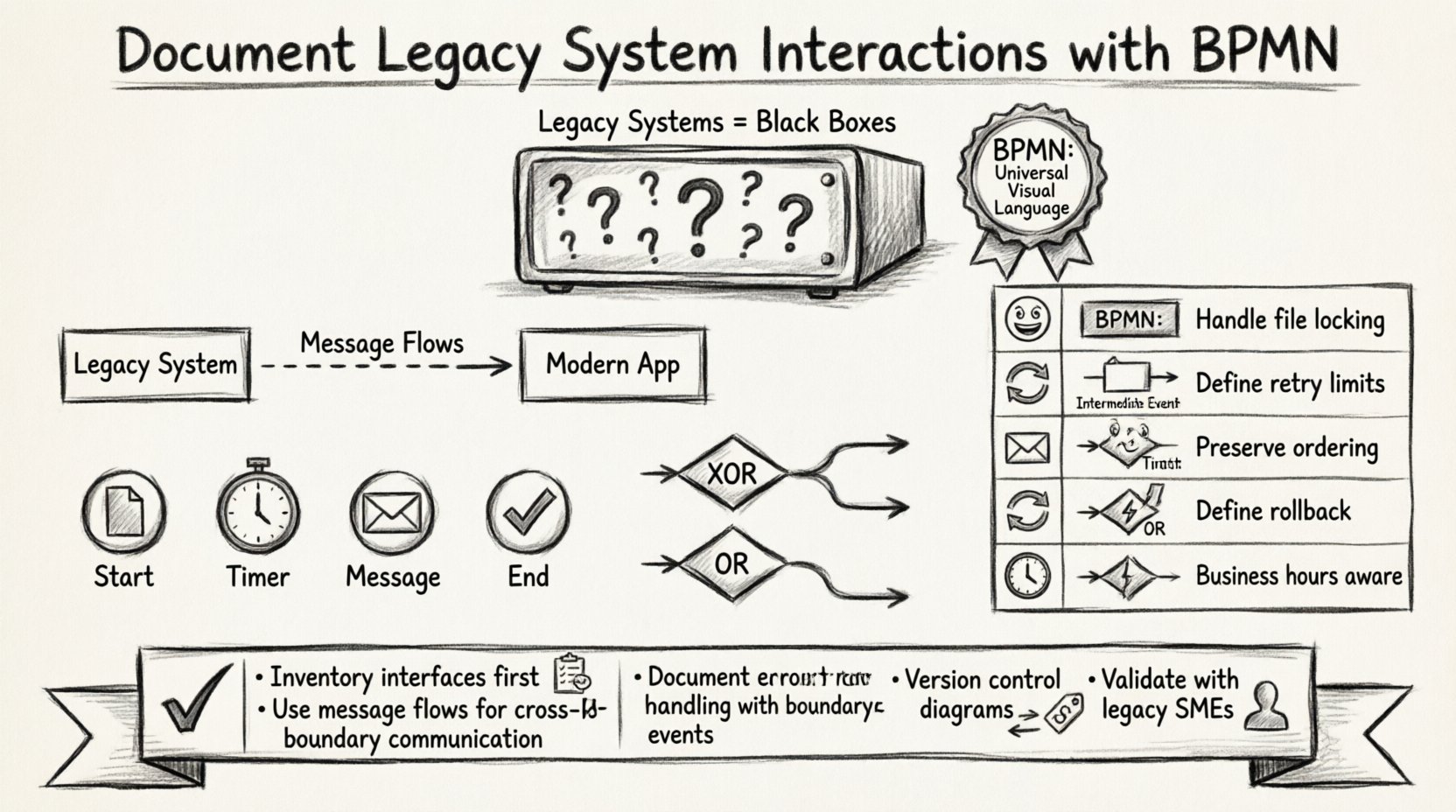
Legacy systems are often “black boxes.” You know the input and the output, but the internal processing logic is opaque. Relying on tribal knowledge or disparate documentation leads to technical debt. When processes change, undocumented dependencies cause failures. Standard notation solves this by creating a visual contract.
Key Benefits of BPMN for Legacy Contexts:
Vendor Independence: The notation is an ISO standard. It does not depend on a specific implementation tool.
Clarity: Visual models reduce ambiguity compared to text-based requirements.
Integration Planning: It highlights where data must move between systems and where decisions occur.
Gap Analysis: Modeling reveals missing error handling or data validation steps.
By adopting a standard, you ensure that the documentation remains valid even if the underlying technology stack changes. The focus remains on the business logic, not the code.
📋 Preparing the Inventory
Before drawing a single shape, you must understand the landscape. Legacy interactions often involve unique protocols that differ from modern REST or SOAP APIs. A thorough inventory prevents errors during the modeling phase.
Essential Inventory Items:
System Interfaces: Identify all entry points. Is it a file drop? A direct database query? A transaction code execution?
Protocols: Determine the transport mechanism. FTP, SFTP, EDI, JMS, or direct DB calls?
Data Formats: Legacy systems often use fixed-width files, COBOL copybooks, or XML. Document the schema.
Timing: Is the interaction real-time, batch, or scheduled? This dictates the event types used in the model.
Security: Authentication methods vary. Certificates, passwords, or network-level access?
Collecting this data allows you to choose the correct BPMN elements. Using the wrong element to represent a file transfer, for example, can confuse stakeholders regarding latency and reliability.
🏗️ Core Modeling Elements for Legacy Interactions
Standard notation provides specific shapes to represent different types of activity. When dealing with legacy systems, precision in element selection is critical for accurate representation.
🏢 Pools and Lanes
Pools represent distinct participants. In a legacy context, each major system should have its own pool. This separates the boundary of one system from another.
External System Pool: Represents the legacy mainframe or database server.
Process Pool: Represents the modern orchestration layer or application.
Lanes: Within the Process Pool, use lanes to denote different teams or internal modules (e.g., “Frontend”, “Integration Layer”, “Database Access”).
Message flows connect pools. Sequence flows stay within a pool. Confusing these two is a common error. A message flow indicates crossing a boundary, which is typical for legacy interactions.
🎯 Events
Events signify something that happens. In legacy integration, the type of event dictates the system behavior.
Start Events: Triggered by an external file arrival, a manual request, or a scheduled timer.
Intermediate Catch Events: Waiting for a response from the legacy system. Use a message icon for communication.
Intermediate Throw Events: Sending a request or file to the legacy system.
End Events: Successful completion or error termination.
For legacy polling mechanisms, use a Timer Intermediate Event. This explicitly documents that the system waits for a duration before checking for data, rather than receiving a push notification.
🔄 Gateways
Gateways manage the flow of control. Legacy systems often have rigid decision logic that must be mirrored in the process model.
Exclusive Gateway (XOR): Use for simple binary decisions (e.g., “Record Found” vs. “Record Not Found”).
Inclusive Gateway (OR): Use when multiple paths can be taken simultaneously (e.g., “Update Ledger” AND “Send Notification”).
Complex Gateway: Use when the logic is too intricate for standard XOR/OR, often requiring code execution logic.
When modeling legacy error handling, an Exclusive Gateway is often used to route based on error codes returned by the older system.
📡 Handling Asynchronous Communication
Legacy systems rarely operate in real-time lockstep with modern applications. They often rely on batch processing or polling. BPMN handles this through specific event types.
Polling Patterns:
If the legacy system does not support push notifications, the modern system must poll. This is represented by a Timer Event.
Frequency: Define the interval in the event label (e.g., “Every 5 minutes”).
Timeout: Use a boundary event to handle cases where the legacy system does not respond within the expected window.
File-Based Integration:
Many legacy exchanges happen via file drops. This requires a File Intermediate Event.
Input: The process waits for a specific filename to appear in a directory.
Output: The process writes a file to a designated drop zone.
These patterns differ significantly from API calls. Documenting them accurately ensures the operations team knows the latency expectations.
💾 Data Representation and Transformation
Legacy systems often lack rich metadata. The process model must account for data transformation explicitly. This is crucial for maintaining data integrity across the integration.
Data Objects:
Use Data Objects to represent information flowing through the process. Attach these to activities to show what is read or written.
Input Data: Show the source format (e.g., CSV, Fixed Width).
Output Data: Show the target format required by the legacy system.
Business Rule Tasks:
If data transformation involves complex logic (e.g., calculating interest rates based on legacy tables), use a Business Rule Task. This separates the process flow from the data logic.
Clarity: It indicates that a decision is made based on external data rules.
Traceability: It allows developers to locate the specific logic separate from the orchestration flow.
⚠️ Exception Handling and Compensation
Legacy systems are not always reliable. They may time out, reject data, or return obscure error codes. A robust process model must anticipate failure.
Boundary Event Subprocesses:
Attach an Error Boundary Event to activities interacting with the legacy system. This captures failures without stopping the entire process immediately.
Retry Logic: Create a sub-process to handle retries with exponential backoff.
Dead Letter Queue: Route unrecoverable errors to a specific queue for manual review.
Compensation:
Some legacy transactions are irreversible once committed. If a downstream process fails, you may need to undo the legacy action. Use Compensation Events to define the “undo” logic.
Trigger: This event is triggered if the main process fails.
Action: Execute a reverse transaction in the legacy system.
This level of detail is often missing in standard documentation but is vital for production stability.
📊 Common Integration Patterns
Understanding common patterns helps in standardizing the documentation. The table below outlines typical legacy interactions and their corresponding BPMN representation.
Pattern | Legacy Context | BPMN Element | Key Consideration |
|---|---|---|---|
📂 File Drop | Legacy mainframe writes to SFTP | Intermediate Catch Event (File) | Ensure file locking is handled to prevent partial reads. |
🔁 Polling | Modern app queries Mainframe DB | Timer Intermediate Event | Define maximum retry limits to prevent database locks. |
📬 Message Queue | Legacy system pushes to MQ | Intermediate Catch Event (Message) | Ensure message ordering is preserved if required. |
🔄 Transaction | Update legacy record | Transaction (Compensation) | Define the rollback procedure if the step fails. |
⏳ Wait | Waiting for manual batch run | Timer Intermediate Event | Account for business hours vs. 24/7 processing. |
🛠️ Validation and Maintenance
Once the model is created, it must be validated. A diagram that cannot be executed or understood is useless. Validation involves checking the logic against the actual system behavior.
Validation Steps:
Walkthrough: Walk through the diagram with a subject matter expert from the legacy team.
Traceability: Ensure every pool and lane has a defined owner.
Completeness: Check that every gateway has an exit path and no paths are dead ends.
Performance: Review timing events to ensure they align with actual system performance metrics.
Maintenance Strategy:
Legacy systems evolve, even if slowly. Documentation must evolve with them.
Version Control: Store the process diagrams in a version control system alongside the code.
Change Management: Update the model whenever the interface contract changes.
Training: Use the model to train new developers on the legacy integration points.
🧩 Technical Nuances in Notation
There are specific technical nuances when applying standard notation to older systems. Understanding these prevents misinterpretation.
External Tasks:
When a task requires external logic that is not part of the workflow engine, use an External Task. This is common when calling a legacy system via a script or adapter. It indicates that the workflow engine hands off control and waits for a callback.
Message Correlation:
Legacy systems often return responses that must be matched to the original request. Use Message Correlation Keys in the BPMN model. This ensures that if multiple requests are in flight, the correct response is routed to the correct process instance.
Transaction Boundaries:
Be careful not to assume atomicity. Legacy systems may not support distributed transactions. Document the boundaries where data consistency is not guaranteed. Use Error Events to handle these inconsistencies explicitly.
📝 Documentation Best Practices
To ensure the documentation is effective, adhere to strict formatting and content standards.
Consistency: Use the same icon set and color coding throughout the document.
Annotations: Add text annotations to explain complex logic that cannot be shown with shapes.
Legend: Include a legend for any custom symbols or specific protocol icons used.
Metadata: Include author, date, and version number on every diagram.
Clear documentation reduces the risk of errors during deployment. It also serves as a reference for troubleshooting production issues.
🚀 Moving Forward
Documenting legacy interactions is not just about drawing pictures. It is about understanding the constraints and capabilities of the systems involved. By using standard process notation, you create a durable asset that survives technology shifts.
Focus on accuracy over aesthetics. Ensure every line represents a real interaction. This discipline builds a foundation for modernization efforts. When you eventually replace the legacy system, the process model remains valid, guiding the new implementation.
Adopting this approach ensures that your integration architecture is transparent. It allows stakeholders to see the flow of data and the handling of exceptions without needing deep technical knowledge of the underlying legacy code.
Start by inventorying your interfaces. Map the critical paths. Define the error scenarios. This structured method leads to stable, maintainable integration patterns.